One of the most dangerous phrases in the agency world is: “Don’t worry, the software costs are included in your monthly retainer.”
When you are structuring your email marketing agency pricing, the temptation to offer an “all-inclusive” package is strong. You charge the client $2,000 a month, and in exchange, you cover the strategy, the copywriting, the design, and the ESP (Email Service Provider) subscription. It simplifies the sales process and makes onboarding frictionless.
However, in 2026, this pricing model has become a silent profit killer.
The landscape of SaaS pricing has shifted dramatically. Tools that used to cost a flat $50 per month now rely on complex, variable pricing matrices involving “Feature Gates,” “Subscriber Tier Jumps,” and hidden “Seat Taxes.” A client that costs you $49 in software overhead on Day 1 can easily cost you $300 by Day 90—without a single change to your service agreement.
The Reality Check
If you are absorbing these costs, your profit margin isn’t just shrinking; it is being actively mined by software vendors using usage-based algorithms. You are effectively paying your client to let you work for them.
This comprehensive guide utilizes our proprietary Email Marketing Cost Calculator to reverse-engineer the “True Cost” of serving an email client. We will dissect the hidden upgrade triggers in platforms like ActiveCampaign and GetResponse, and show you how to structure your email marketing rates to ensure you remain profitable as your clients grow.
The “Base Price” Illusion: Why Estimation Fails
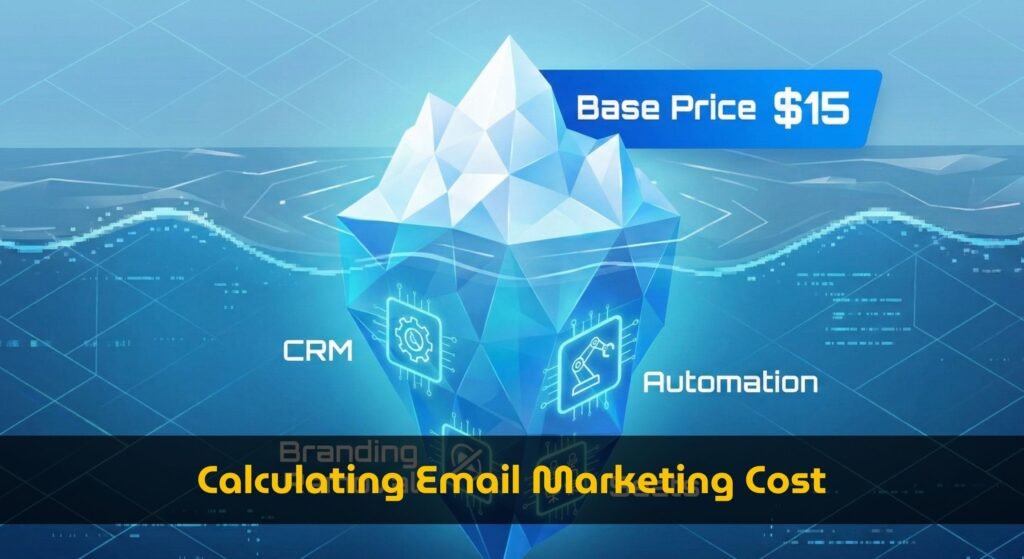
To set a sustainable pricing model, you must first calculate your COGS (Cost of Goods Sold) with extreme precision. The problem is that most agency owners estimate software costs based on the “Base Plan” advertised on the pricing page.
Let’s look at the data from our 2026 Pricing Database:
| Tool | Advertised “Starter” Price | Real Limits |
|---|---|---|
| ActiveCampaign | $15 / mo | 1,000 Contacts, 1 Seat Only |
| GetResponse | $19 / mo | No Automation, No Teams |
| Kit (ConvertKit) | $39 / mo | No CRM Functionality |
If you are quoting a small ecommerce client with 2,500 subscribers, you might budget $40/month for software. You add your margin, quote the client, and everyone is happy. But this calculation assumes the client only needs to send text emails. It ignores the features you promised to deliver.
Margin Killer #1: The CRM & Automation Tax
As an agency, you likely sell “Marketing Automation” or “Lead Scoring” as part of your value proposition. You promise to set up abandoned cart flows, tag customers based on behavior, and manage a sales pipeline.
Here is the financial reality of that promise when using a tool like ActiveCampaign.
The Hidden Upgrade Trigger
Our calculator’s database reveals that critical features are often locked behind higher tiers. For example, ActiveCampaign’s “Starter” plan does not include the CRM you need for lead scoring.
Calculator Analysis: ActiveCampaign
The Result: You lose $66 per month (an 83% cost increase) simply because you need CRM functionality. Over a year, that is nearly $800 wiped from your bottom line for a single client.
The “Feature Missing” Trap
What if you try to switch to a cheaper tool like Kit (ConvertKit)? If your agency service relies heavily on a Sales CRM, our calculator flags Kit as “Disqualified”.
Kit does not offer a native Sales CRM. If you sold this feature, you now have to pay for another third-party tool (like HubSpot or Pipedrive) and integrate it using Zapier. This adds complexity and cost ($20-$50/mo) that you likely didn’t budget for.
Margin Killer #2: The “Seat Tax” for Collaboration
Collaboration is non-negotiable for agencies. You need a login for your account manager, one for your copywriter, and one for the client to approve campaigns.
However, “User Seats” are one of the most aggressive upsell triggers in 2026. Many entry-level plans are strictly single-user.
Calculator Analysis: GetResponse
The ‘Email Marketing’ tier in GetResponse does not support teams. You are forced to jump tiers just to give your copywriter a login.
The Financial Impact: Moving from a single-user plan to a multi-user plan often doubles the monthly cost. If your email marketing pricing packages don’t explicitly account for “Team Access,” you are paying a premium for your own employees to do their work.
Margin Killer #3: The “Success Penalty” (Subscriber Inflation)
The cruelest irony of the agency business is that if you do your job well, your costs go up.
You are hired to grow the client’s email list. But SaaS pricing is based on list size tiers. As you grow the list from 2,000 to 10,000, the software bill explodes. We call this the “Success Penalty.”
Visualizing the Cost Explosion
Using the “MoM Growth” (Month over Month) slider on our calculator, you can forecast this inflation. Let’s assume you grow a client’s list by 5% monthly.
- Month 1 (2,500 Subs): ActiveCampaign Plus is $95/mo.
- Month 12 (4,500 Subs): Price jumps to $145/mo.
- Month 24 (8,000 Subs): Price jumps to $189/mo.
If you signed a 12-month retainer at a fixed price, your software overhead has increased by 52% by the end of the year. If you don’t renegotiate, that money comes out of your pocket.
Strategic Pricing Models: How to Fix This
Once you know the true cost, how should you price your services? Here are three models to protect your margins.
1. The “Client-Pays” Model (Recommended)
You separate your service fee from the software fee.
- Structure: $2,000/mo (Service Fee) + Client Credit Card on file for Software.
- Why: You are completely insulated from “Success Penalties” and price hikes.
- Calculator Use: Send the calculator link to the client: “Here is a projection of what your software bill will look like over the next 3 years.” This builds trust through transparency.
2. The “Managed Service” Model (High Risk)
You bundle the software, but you use a “Master Account” or “Agency Partner” account.
- Structure: $2,500/mo (All-inclusive).
- Risk: You must audit the software usage quarterly.
- Calculator Use: Use the “3-Year TCO Estimate” chart in our tool. Look at the total cost over 36 months, divide by 36, and use that average number for your budgeting—not the Month 1 price.
Stop Guessing Your Overhead
Run your client scenarios through our tool. Find out exactly when a “Cheap” plan turns into a “Profit Killer.”
Launch Cost Calculator