
Send limits and upgrade thresholds
Which email marketing tools use sends-per-contact rules?
Mailchimp and ActiveCampaign tie monthly send allowances to contact tiers on several plans. MailerLite uses a 10× tier-ceiling allowance on Comfort and fair-use unlimited sending on Power. Kit advertises unlimited sends on its Newsletter plan but caps active subscribers. Brevo works differently: monthly email volume determines the pricing tier and associated contact storage.
Email marketing pricing packages: quick answer
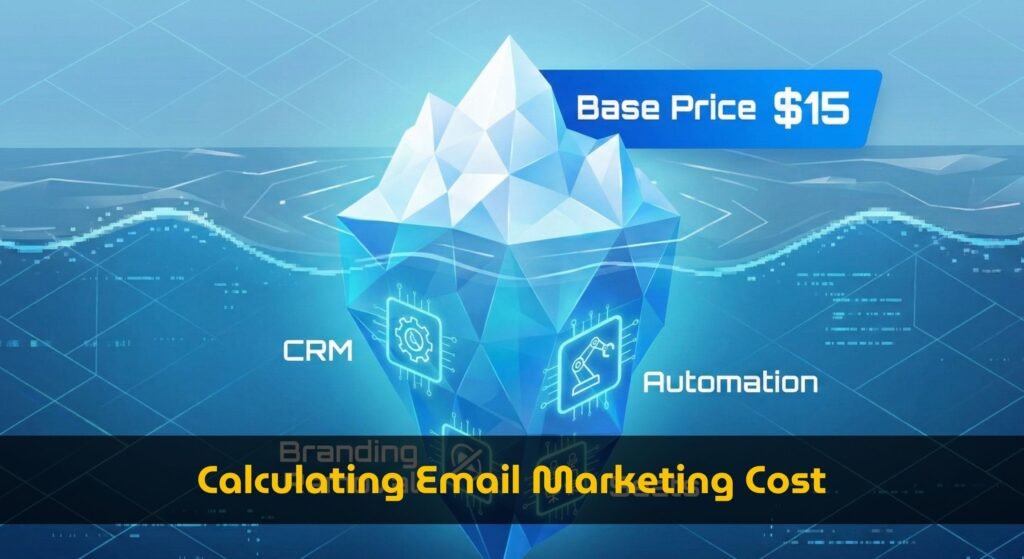
Quick answer: email marketing pricing is usually determined by contacts, monthly send volume, automation depth, team seats, CRM access, reporting, landing pages, and whether you need to remove vendor branding. The lowest advertised monthly plan is often not the lowest true cost once those upgrade triggers are included.
Use this guide to compare email marketing pricing packages by pricing model first, then check the feature gates that can move an account from an entry plan to a higher package. For a personalized number, use the Email Marketing Cost Calculator; for persona-level comparison, use the creator, B2B, ecommerce, and agency cost comparison.
Scope: This page is the primary guide to email marketing pricing packages, contact and send tiers, feature gates, and upgrade thresholds. For scenario-based three-year ownership calculations, use the email marketing total cost comparison by use case.
Contact tier and monthly send volume.
Automation, reporting, or branding removal forces a higher package.
CRM and extra team seats can dominate the software bill.
Compare 3-year TCO, not only month-one subscription price.
Email marketing pricing model map
Most email marketing packages look similar on the pricing page, but they charge for different things. Before choosing a platform, classify the plan into one of these models:
| Pricing model | What changes the bill | Best fit | Main risk |
|---|---|---|---|
| Contact-based tiers | Subscriber count and list growth | Newsletters, creators, simple ecommerce lists | A cheap plan can jump quickly as the list crosses tier thresholds. |
| Send-volume tiers | Emails sent per month | Brands with smaller lists but frequent campaigns | High send frequency can cost more than the contact count suggests. |
| Feature-bundled packages | Automation, CRM, reporting, landing pages, or branding removal | B2B teams and multi-step lifecycle marketing | You may pay for a larger bundle to unlock one needed feature. |
| Seat-sensitive packages | Number of team members and admin roles | Agencies, sales teams, and growing marketing departments | Extra seats can force a higher package before contact volume grows. |
Upgrade triggers that change the real price
For organic search users comparing email marketing pricing, the practical question is not simply “Which tool is cheapest?” It is “Which package will I actually need after my use case is included?” These are the triggers to check before treating any advertised price as final:
| Upgrade trigger | What to check on the vendor pricing page | Why it matters for true cost |
|---|---|---|
| Automation | Number of workflows, journey steps, segmentation rules, and conditional branches. | Basic plans may allow simple autoresponders but block lifecycle automation. |
| Branding removal | Whether vendor logos can be removed from forms, landing pages, and emails. | Removing branding is often treated as a paid professional feature. |
| CRM access | Pipeline, deals, lead scoring, tasks, and sales automation availability. | CRM features can move a newsletter team into a B2B-priced package. |
| Reporting | Cohort reports, ecommerce revenue attribution, custom dashboards, and exports. | Teams that need reporting for decisions may outgrow entry plans quickly. |
| Team seats | Included users, role permissions, and collaborator limits. | A growing team can increase cost even if subscriber count is unchanged. |
| Send limits | Monthly email allowance, overage rules, and sends per contact. | Two tools with the same contact tier can have very different usable send volume. |
Table of Contents
- Quick answer: email marketing pricing packages
- Pricing model map
- Upgrade triggers that change the real price
- 1. The Evolution of Email Marketing Pricing Packages
- 2. The Anatomy of Modern Tiers: Base vs. Bundle
- 3. The “Sales CRM” Variable: The Most Expensive Trap
- 4. The Financial Impact of Unutilized Features
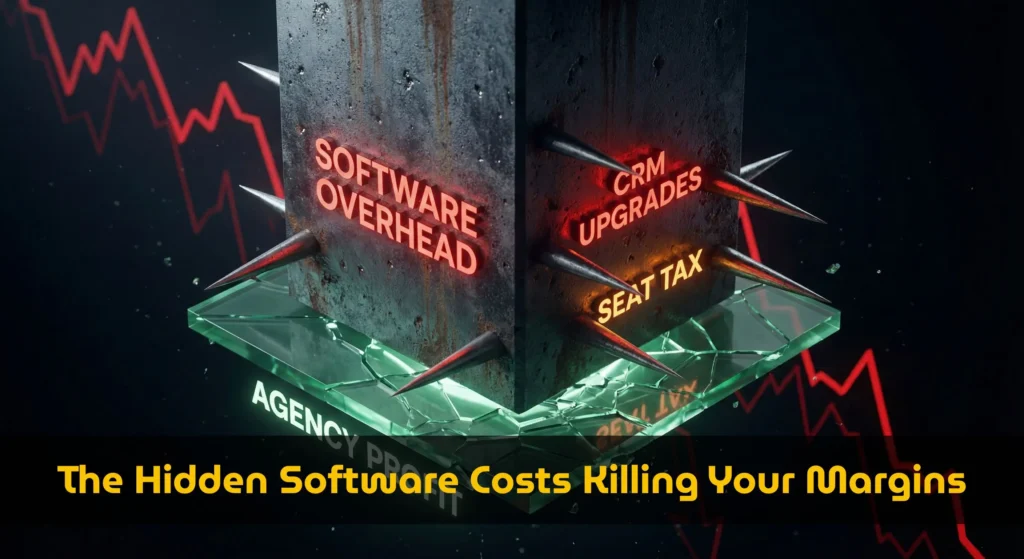
- 5. The 3 Hidden Taxes Inside Email Software Subscriptions
- 6. Sends Per Contact Rules vs. Pricing Tiers Upgrade Thresholds
- 7. Platform Breakdown: Comparing 2026 Tiers
- 8. Step-by-Step Guide: How to Audit Your Email Marketing Pricing Packages
1. The Evolution of Email Marketing Pricing Packages
A decade ago, comparing email platform costs was a straightforward mathematical exercise. You estimated your list size, multiplied it by a flat rate, and paid the vendor. The industry operated on a pure “pay-per-contact” or “pay-per-send” model.
However, as platforms raced to become “all-in-one” operating systems for businesses, the structure of marketing software pricing fundamentally shifted. To justify higher valuations, vendors integrated landing page builders, SMS marketing, social media scheduling, and complex CRM pipelines. Today, when you analyze email marketing pricing packages, you are forced into multi-dimensional pricing matrices based on three converging axes:
- Volume: The raw number of contacts or emails sent.
- Functionality: Access to advanced automation, dynamic content, and integrations.
- Access: The number of team members (seats) allowed to log into the platform.
Because of this evolution, modern pricing models are purposely designed to make direct comparison nearly impossible. This lack of transparency is why tools like our cost calculator are essential for revealing the true underlying costs.
2. The Anatomy of Modern Tiers: Base vs. Bundle
To understand where your money is actually going, we must first deconstruct how platforms structure their subscription tiers. Our extensive database reveals that SaaS pricing is rarely linear; instead, it relies heavily on “Feature Gates.”
A “Feature Gate” is a specific software tool that, once activated or requested by the user, forces the entire account into a higher, premium price bracket—regardless of whether your subscriber count has increased.
When you look at standard email marketing pricing packages, the “Base” tier usually serves as a loss-leader. It is designed to capture your data and integrate the platform into your daily operations. Once you hit a wall—perhaps you need to remove the platform’s logo from your emails, or you need to build a 3-step automation instead of a 2-step one—the platform limits force you into the “Bundle” tier. Suddenly, you are paying for 15 new features when you only needed one.
(For a deeper dive into how different business profiles are affected by these tiers, we strongly recommend reading our extensive Creator vs B2B software cost breakdown).
3. The “Sales CRM” Variable: The Most Expensive Trap
Of all the feature gates found inside 2026 marketing software plans, the Customer Relationship Management (CRM) module is by far the most significant cost driver. While a core email tool manages broadcast messages, a CRM manages 1-on-1 relationships and complex deal pipelines.
Integrating these two functions natively is undeniably powerful for B2B enterprise sales teams. However, if you are running a weekly newsletter, a local physical service business, or a pure ecommerce store, a B2B sales CRM will sit completely dormant inside your account. Yet, many premium SaaS tiers force you to pay for it anyway.
We analyzed the underlying pricing rules for ActiveCampaign, a market leader in marketing automation. Here is how their specific pricing plans impact your monthly bill based purely on the CRM variable:
-
Scenario A: Email Marketing Only
If you require standard automated sequences and broadcasts, you qualify for the base “Starter” tier of their email marketing pricing packages. -
Scenario B: Email + Sales CRM
If you check the “Sales CRM” requirement box, our algorithm detects that the “Starter” plan is structurally disqualified. The system automatically triggers a massive price jump, forcing you into the “Plus” tier of their subscription model.
4. The Financial Impact of Unutilized Features
Let us translate this theoretical SaaS logic into hard, undeniable currency. We will look at a standard, realistic growth scenario: A mid-sized business managing a list of exactly 5,000 active subscribers.
Using the real-time API data from our 2026 pricing database, we directly compared the cost of an “Activated CRM Bundle” versus a “Streamlined Email Essential” plan within popular email marketing pricing packages.
Includes heavy Deal Pipelines, B2B Lead Scoring, SMS integrations, and advanced attribution.
Includes robust Email Automation, dynamic Segmentation, Broadcasts, and core templates.
As noted by financial analysts at Forbes Finance Council, minimizing software bloat is one of the fastest ways to increase net profit margins without requiring new sales. Analyzing your email marketing plans is the perfect place to start.
5. The 3 Hidden Taxes Inside Email Platform Subscriptions
When you evaluate email marketing pricing packages, the advertised headline price is rarely the final amount invoiced to your credit card. Vendors bake in hidden fees that act as silent taxes on your growth. You must account for these three primary taxes when comparing various options.
A. The Seat Tax (Multi-User Collaboration)
Collaboration is essential for modern marketing teams, but within many collaboration tools, it is monetized aggressively. For instance, according to our live data on GetResponse, their entry-level email marketing pricing packages strictly limit access to a single user. If you hire a freelance copywriter or a virtual assistant and need to grant them a separate login, you are structurally forced to upgrade to the next tier, which can immediately double your monthly outlay.
B. The Overage Tax (Strict Sending Limits)
Historically, legacy pricing models allowed unlimited sends to your fixed contact list. In 2026, this is dead. Platforms like Mailchimp have instituted strict “Monthly Email Limits” (usually 10x or 12x your list size). If you have 5,000 subscribers and run a daily newsletter, you will blow past this limit within two weeks. The overage fees applied on top of standard monthly fees are notoriously punitive.
C. The Integration Tax (API & Webhook Access)
Your email software needs to talk to your payment processor (like Stripe) or your membership platform. Several lower-tier software tiers purposefully disable API access or advanced webhooks. To automate your business natively, you are forced to upgrade, proving again that email marketing pricing packages gate functionality, not just scale.
6. Email Send Limits by Platform: Tiers and Upgrade Thresholds
Direct answer: there is no universal sends-per-contact rule. Mailchimp, ActiveCampaign, and MailerLite calculate allowances from a contact or subscriber tier on specified plans; Kit emphasizes a subscriber cap with unlimited sending on its Newsletter plan; and Brevo primarily sells monthly email volume. This difference is why two platforms with the same contact count can require different pricing tiers.
| Platform | How sending is measured | Current published rule | Upgrade or overage trigger |
|---|---|---|---|
| Mailchimp | Contact tier plus a monthly send multiplier | Essentials allows 10× the contact limit; Premium allows 15×. The selected contact tier sets the base allowance. | Exceeding selected contacts or sends can create additional charges or require a higher tier. Official plan rules |
| ActiveCampaign | Monthly sends as a multiple of the contact limit | Starter and Plus: 10×; Professional: 12×; Enterprise: 15× for plans purchased on or after June 3, 2024. | Sends above the allowance incur overage charges; very high overage can pause sending. Official send-limit policy |
| MailerLite | Subscriber tier and plan-specific send allowance | Comfort provides 10× the ceiling of the subscriber tier; Power provides unlimited monthly emails subject to fair use. | Exceeding subscriber or send limits can trigger an automatic plan upgrade. Official billing rules |
| Kit | Active unique subscribers | The Newsletter plan publishes unlimited email sends for up to 10,000 active subscribers. | Passing the subscriber cap requires a paid plan; automation capability can also drive a plan change. Official Newsletter plan |
| Brevo | Purchased monthly email volume | The chosen email volume determines the pricing tier and also sets the associated contact-storage limit. | More monthly sends require more email credits or a higher volume tier; unused monthly emails do not roll over. Official email-volume rules |
Worked example: 5,000 contacts
If you send eight emails per contact each month, your projected volume is 40,000 sends. A 10× allowance provides 50,000 sends, leaving a 10,000-send buffer. At 15 emails per contact, volume rises to 75,000 sends and exceeds both 10× and 12× allowances. That is the point where you should model overage charges, a higher send allowance, or a different pricing model.
Calculate your own contact count, frequency, and 3-year cost →
Verification date: July 20, 2026. Vendors can change plan rules, legacy-plan treatment, and limits. Confirm the linked official policy before purchasing or upgrading.
7. Platform Breakdown: Comparing 2026 Software Tiers
To truly understand how varied the landscape is, let us examine the specific pricing plans of the top providers in the industry. We categorize them by their overarching philosophy: The Generalists vs. The Specialists.
| Platform Name | Target Persona | Base Package (5k Contacts) | Premium “Trap” Feature |
|---|---|---|---|
| HubSpot | Enterprise / B2B | $800+/mo (Marketing Hub) | Forced CRM integration & Custom Reporting gates. |
| ActiveCampaign | Advanced Automators | $79/mo (Starter) | Sales CRM & Lead Scoring triggers a 83% markup. |
| Kit (ConvertKit) | Creators / Newsletters | $89/mo (Creator) | Highly efficient; avoids CRM bloat entirely. |
| Mailchimp | Small Local Business | $69/mo (Standard) | Strict overage fees and limited audience segmentation. |
When you audit email marketing pricing packages from a “Generalist” like HubSpot, you are buying into an ecosystem. Their package models are fundamentally tied to their CRM. If you only want to send emails, HubSpot is mathematically the wrong choice. Conversely, a “Specialist” like Kit structures its cost model entirely around deliverability and creator monetization, stripping away B2B bloat to keep costs dense with relevant features.
Optimize Your Entire Digital Marketing Stack
Just as you rigorously audit your email marketing pricing packages for unused “Pro” features, you must apply the exact same logic to your SEO and organic traffic tools. Are you needlessly paying for “Enterprise Agency” features?
8. Step-by-Step Guide: How to Audit Your Email Marketing Pricing Packages
To ensure you secure the most optimal rate among various competitors, we recommend executing a formal “Feature Audit” before signing any SaaS contract or annual commitment.
Step 1: Define Your Absolute “Must-Haves”
Audit your current workflow. Strip away the marketing jargon used in SaaS sales pages and list what you actually do. Do you genuinely use predictive AI lead scoring? Do you utilize the native landing page builder, or do you use WordPress? Knowing your baseline protects you from the bundle trap.
Step 2: Configure the Smart Cost Calculator
- Navigate immediately to our True SaaS Cost Calculator.
- Input your exact Subscriber Count (e.g., 5,000 or 50,000).
- The Control Test: Uncheck all premium features. This reveals the baseline floor of all standard email marketing pricing packages.
- The Variable Test: Check the “Sales CRM” or “Multi-User” box and observe how drastically the costs shift in real-time.
Step 3: Compare total cost by use case
Package prices are only one part of the decision. Model subscription fees, send overages, seats, add-ons, migration, integrations, and the upgrade thresholds that apply to your actual use case. The email marketing total cost comparison provides the three-year formula and scenario framework; keep this page focused on package tiers and feature gates.
Conclusion & FAQ: Strategic Selection Over Bundle Buying
As we navigate 2026, the most cost-effective marketing technology stack is not the one boasting the longest list of features; it is the one achieving the highest “Utilization Rate.” By mastering the underlying mechanics of email marketing pricing packages—specifically recognizing the immense premium placed on unused CRMs and multi-seat functionality—you can effectively avoid over-provisioning. Pay strictly for the tools driving measurable revenue today, and upgrade your software subscriptions only when your operational strategy demands it.
Frequently Asked Questions About Software Pricing
Why are B2B email marketing pricing packages so much more expensive than creator packages?
Can I negotiate email marketing pricing packages with vendors?
How do user seats affect email marketing pricing packages?
Audit Your Software Stack Today
Stop guessing. Compare hundreds of email marketing pricing packages instantly. Identify unused features, avoid the “Pro Tier Trap”, and calculate the mathematically perfect plan for your business.
Compare Real Pricing Packages NowExplore the full email marketing pricing hub
Use the hub to move between the calculator, pricing packages guide, use-case comparison, scaling analysis, and brand comparisons.
Open the email marketing pricing hub