Low-cost SEO cost hub
- Low-Price SEO Hidden Costs – the main guide for cheap SEO tool and service cost traps.
- SEO Cost Calculator – estimate your monthly SEO software, service, seat, project, and keyword tracking budget.
- SEO Software Cost for Agencies – plan agency seats, reporting, API, and multi-client overhead.
In the startup and SMB (Small to Medium Business) sector, the search for low cost SEO tools is often a top priority. When you look at the pricing pages of industry giants, you see inviting entry points: $99, $119, or $129 per month.
These “Starter” or “Lite” plans are designed to be accessible. They offer basic keyword tracking, site audits, and competitor research—everything a solo marketer seems to need.
However, as your operational maturity increases, these low-cost plans often hit a hard “Functional Ceiling.” It isn’t that they run out of data credits; it’s that they are structurally blocked from integrating with the rest of your marketing stack.
In 2026, the definition of a “cost-effective” tool has shifted. It is no longer just about the monthly subscription fee; it is about the Cost of Integration. This guide uses our SEO Software Calculator to analyze where “Cheap” ends and “Enterprise” begins, helping you avoid unexpected budget shocks.
The “Looker Studio” Ceiling: Reporting Automation
For any growing agency or in-house team, manual reporting is an efficiency killer. The industry standard for automated, client-facing dashboards is Google Looker Studio.
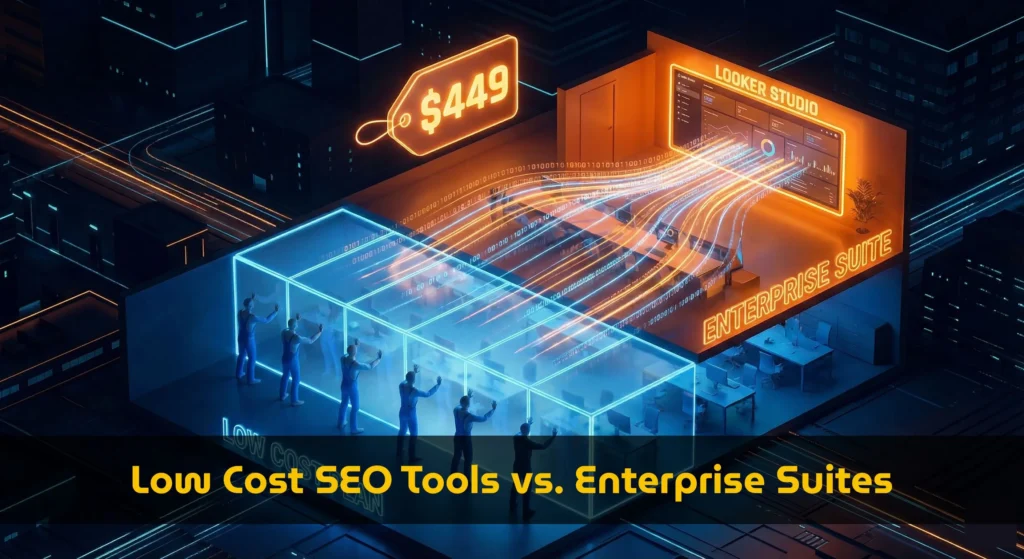
You might assume that if you pay $129/month for software, you can connect it to your reporting dashboard. Unfortunately, our database reveals that this specific connection is often treated as a premium “Enterprise” feature.
We analyzed the feature gates for Ahrefs. Here is what happens when you require automated data export:
The Impact: A single requirement—automating your monthly report—caused your seo software cost to nearly quadruple. If you budgeted for a “Low Cost” tool, this is a financial crisis.
The “API Access” Barrier: Custom Data Pipelines
Beyond Looker Studio, sophisticated teams often need raw API access to pull data into data warehouses (like BigQuery) or custom internal tools.
This is where the “Low Cost” illusion completely shatters. Most major platforms view API access as the exclusive domain of large enterprises.
Semrush vs. The Field
According to our 2026 pricing data, accessing the API on Semrush requires the Business Plan.
- Pro Plan: $139.95/mo (No API)
- Guru Plan: $249.95/mo (No API)
- Business Plan: $499.95/mo (API Access Included)
This creates a significant “Efficiency Gap.” If you are a tech-savvy freelancer who wants to build a simple script to monitor ranking changes, you are priced out of the market by the major players.
The Anomaly: Finding True Value
However, not all tools follow this “Gatekeeping” philosophy. Our calculator identifies specific outliers that offer Enterprise-grade connectivity at SMB prices.
Serpstat emerges as a notable exception in our database.
Entry Level Plans
API: Not Available
Looker Studio: Not Available
Must upgrade to $400+ tiers.
Serpstat Team
API: Included
Looker Studio: Included
Full automation readiness.
If your definition of low cost seo tools includes the ability to automate work (thereby saving labor costs), tools that include API access in their lower tiers offer a mathematically superior ROI.
The “Historical Data” Premium
Another often-overlooked feature gate is access to historical data. When pitching a new client, showing them their traffic decline over the last 2 years is a powerful sales tactic.
However, “Lite” plans often restrict this view.
- Ahrefs Lite: Limits historical data visibility to the last 6 months.
- Semrush Pro: Limits historical data. You must upgrade to Guru ($249.95) to unlock the full historical archive.
If your strategy relies on historical audits, the “Low Cost” plan is functionally useless. You are paying for a tool that cannot answer the question: “When did the traffic drop happen?”
Balance Your Marketing Tech Stack
Budget optimization doesn’t stop at SEO. Email marketing platforms also hide costs behind “Subscriber Tiers” and “CRM Gates.” Ensure your entire digital strategy is financially sound.
How to Audit Your Requirements
To avoid buying a “Low Cost” tool that forces an expensive upgrade next month, follow this pre-purchase audit workflow using our calculator:
Step 1: Define “Must-Have” Integrations
Do not compromise on workflow. If you use Looker Studio, mark it as mandatory.
Step 2: Configure the Calculator
- Open the SEO Cost Calculator.
- Set your keyword volume.
- Crucial Step: Check the “Looker Studio” and “API Access” boxes in the “Feature Gates” section.
Step 3: Analyze the “Disqualified” List
Watch as the calculator greys out the “Lite” and “Standard” plans. The remaining options represent your True Entry Price.
You may find that while Tool A advertised $99, your actual price is $449. Meanwhile, Tool B might advertise $119 and actually cost $119 because it includes the features you need.
Conclusion: Price vs. Utility
In the market for low cost seo tools, the lowest sticker price is rarely the best deal for a growing business. Functional ceilings like API access and reporting integrations act as “Upgrade Triggers” that can destroy your budget planning.
By identifying these gates upfront, you can choose a platform that scales linearly with your growth, rather than one that forces step-change price hikes.
Find Your True Entry Price
Select your required integrations and see which tools remain affordable.
Launch Feature Audit