
Reaching your first 2,000 subscribers is a moment of validation. It proves your content strategy works and your product has market fit. However, for startups entering a hyper-growth phase, this initial success often triggers a financial trap we call the “Success Disaster.”
This disaster usually arrives in the form of your monthly software invoice. Most founders choose an Email Service Provider (ESP) based on their budget today. You look at the pricing page for 2,500 users, see a manageable $30 per month, and sign up. The assumption is that costs will rise moderately as you grow.
Two years later, your list has scaled, and you are shocked to find your bill has exploded to over $800 per month. This happens because you fell into the trap of “non-linear pricing.” You are now paying a premium not just for more contacts, but for features you may not even need. At this stage, migrating your data is risky and expensive, leaving you trapped in an unsustainable contract.
To protect your future margins, you must stop looking at the monthly sticker price. Instead, you need to calculate the Total Cost of Ownership (TCO) over a 36-month horizon. This guide explains the hidden math of scaling your email stack.
1. The Myth of Linear Growth
The most dangerous assumption in SaaS budgeting is that costs scale in a straight line. Founders often believe that if 2,000 users cost $20, then 20,000 users will logically cost $200. In the reality of SaaS pricing, this is almost never true.
Vendors engineer their pricing with “Step Functions” and steep cliffs. A tool that positions itself as the “budget option” at the entry-level often becomes the most expensive luxury option at scale. We see this dynamic clearly in the pricing structure of tools like Kit (formerly ConvertKit).
Kit’s “Newsletter” plan is free for up to 10,000 subscribers, which attracts many lean startups. However, this plan is strictly limited to basic broadcasts. As your business matures, you will inevitably need Marketing Automation to run sales funnels. At that moment, you are forced to jump to the “Creator” tier. Suddenly, your “Free” plan becomes a significant monthly expense, and if you scale to 50,000 subscribers, the price climbs sharply. If you did not forecast this tier jump, your budget will break.
2. Hidden Cost Drivers: The Feature Gates
According to our calculator data, the subscriber count is not the only factor driving up your bill. Specific “Feature Gates” often trigger expensive mandatory upgrades. Most basic pricing calculators ignore these, but they are the primary reason budgets get blown.
The CRM Gate (Critical for B2B)
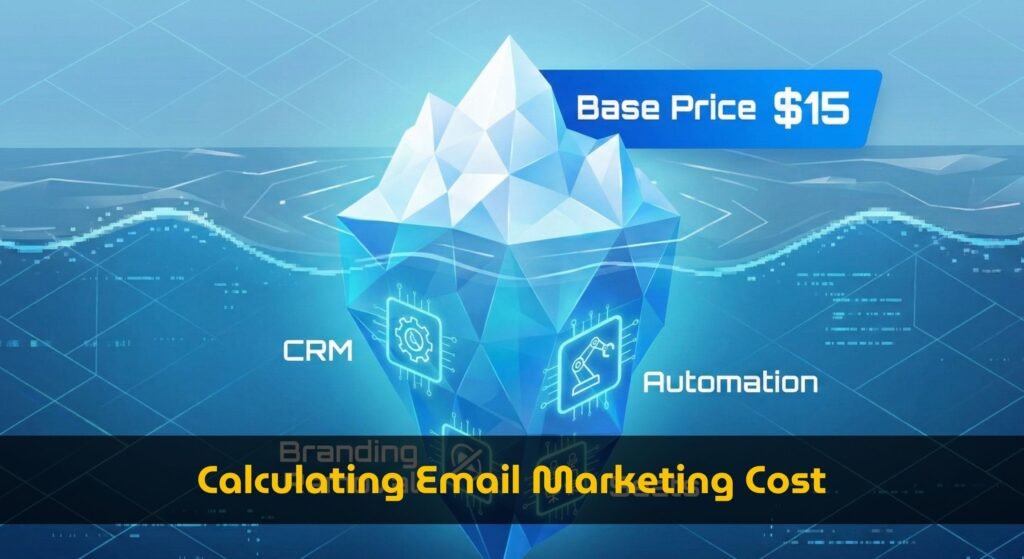
If you run a B2B business, you need to manage leads and track deals. ActiveCampaign is a market leader for this, and its “Starter” plan looks affordable at just $15 for 1,000 contacts. However, this plan removes the Sales CRM entirely.
To get Lead Scoring and Pipeline management, you must upgrade to the “Plus” plan. For the same 1,000 contacts, the price instantly jumps to $49. That represents a 226% price increase just to unlock one essential feature. If you budgeted based on the Starter price, your financial forecast is wrong from day one.
The Team Seat Tax
Solopreneurs work alone, but growing companies need access for multiple team members. You will eventually hire a Content Manager and a Sales Rep who need their own logins. Unfortunately, entry-level plans often restrict access.
ActiveCampaign’s Starter plan limits you to a single user seat, and Kit’s Creator plan also has restrictions. To unlock 3 to 5 seats, you are often forced to move to a “Pro” or “Plus” tier. We call this the “Seat Tax.” You end up paying for a higher tier not because you have more subscribers, but simply because you need to let your team log in.
The Price of Branding
Professionalism matters. Nothing undermines trust like an email footer that says “Powered by AWeber.” To remove this branding, Kit requires you to be on the “Creator” plan, and ActiveCampaign requires the “Plus” plan. This effectively raises the floor price of these tools, regardless of how small your list is.
3. The 36-Month Forecast: A Simulation
Static pricing pages are misleading because they only show you today’s weather, not the coming storm. To make a smart decision, you need a dynamic forecast that includes Monthly Growth Rate (MoM). Let’s run a simulation assuming a healthy 5% monthly growth rate over 3 years.
Year 1: The Deceptive Honeymoon
In the first year, your list starts at 2,500 subscribers. ActiveCampaign’s “Starter” plan lists at 39,butbecauseyouneedaCRM,youareactuallypaying∗∗95/month** for the “Plus” plan.
Kit lists the “Creator” plan at roughly $59. However, Kit lacks a native CRM, so you likely subscribe to a separate tool like HubSpot Starter. When you combine these costs, both options hover around $100 per month. At this stage, the difference is negligible, and you don’t feel any financial pressure yet.
Year 2: The Acceleration Phase
With compounding growth, your list doubles quickly. By the end of Year 2, you hit the 10,000 subscriber benchmark. At this specific tier, the pricing divergence becomes visible.
- ActiveCampaign Plus: Jumps to $189/month.
- Kit Creator: Costs $139/month.
- AWeber Plus: Costs $135/month.
The gap is widening. You could save $50 a month by switching to Kit. However, migrating a list of 10,000 people is hard work. You worry about breaking automations and losing data, so you likely stay put and absorb the cost.
Year 3: The Reality Check (50k Subscribers)
By Month 36, growth compounds further, and you approach 50,000 subscribers. This is where the pricing “Cliffs” become steep and painful. Let’s compare the costs at the 50,000 subscriber tier.
- ActiveCampaign Plus: Hits $609 per month.
- GetResponse Marketer: Costs only $359 per month.
- Kit Creator: Costs approx $414 per month.
The TCO Verdict: ActiveCampaign is now nearly double the price of GetResponse. If you are a B2B Enterprise, that extra cost is justified because the CRM helps you close high-value deals. But if you are a newsletter creator, you are wasting over $3,000 a year on features you do not use.
4. Strategic Fit: Choosing by Business Model
There is no single “best” tool in the market. There is only the tool that fits your specific Business Model Configuration. Our calculator defines three distinct personas to help you choose.
The Creator (Solo-preneur)
You sell digital courses or newsletters and typically work alone. Your biggest financial risk is paying for a complex Sales CRM you will never use.
Recommendation: Kit is the superior choice here. Its “Creator” plan is optimized for content delivery and simple automation. At 50,000 subscribers, it remains significantly cheaper than ActiveCampaign because it doesn’t force you to subsidize heavy CRM infrastructure.
The B2B SaaS Company
You have a sales team and a long sales cycle. You need Lead Scoring to identify “Hot Leads” for your reps.
Recommendation: ActiveCampaign is worth the premium. Cheap tools lack the necessary lead scoring logic. If you try to save money there, you will end up spending more on Zapier integrations and lost productivity. The “Plus” plan absorbs the cost of a standalone CRM, lowering your total tech stack cost.
The Ecommerce Brand
You send high volumes of email (8+ times a month) to a large list. You need robust automation for abandoned carts.
Recommendation: GetResponse is a strong contender. Its “Marketer” plan supports 5 team seats and advanced automation. Crucially, its pricing at the 50,000 subscriber tier ($359) undercuts the competition significantly. This allows you to scale your sending volume without your software bill eating all your profits.
5. Conclusion: Stop Guessing, Start Projecting
The worst possible time to realize you cannot afford your email marketing tool is when your business is taking off. Imagine hitting 20,000 subscribers and celebrating, only to receive an email from finance asking why the software bill just tripled.
You have hit a pricing cliff unexpectedly. Now, instead of focusing on growth, you have to pause everything to migrate your data. This is a massive distraction and a risk to your sender reputation.
Do not rely on the static pricing tables on vendor websites. They show you today’s cost, not the coming storm. To make a decision that stands the test of time, you must calculate your Total Cost of Ownership.
Ready to see your future?
We have built the True SaaS Cost Calculator to do the heavy lifting for you. It factors in hidden gates, growth curves, and TCO analysis to generate a personalized forecast. Stop guessing in Excel and start planning with data.