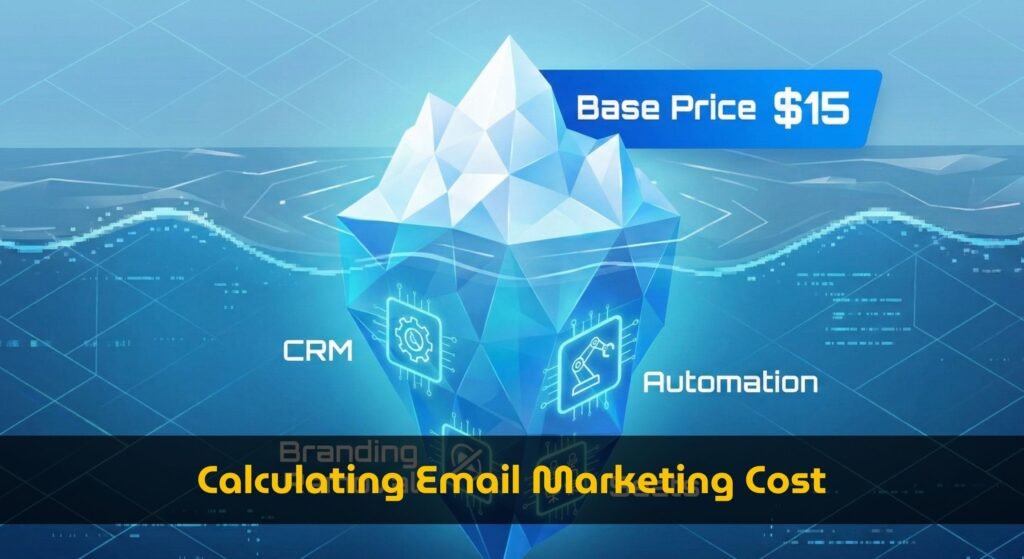
Compare email marketing platform pricing by the way you actually use the software. The cheapest plan on a pricing page is often not the cheapest plan once contacts, sends, automation, CRM, ecommerce data, and reporting are included.
How to compare email marketing pricing models
A useful email marketing price comparison should not only compare brand names. It should compare pricing mechanics: contact tiers, send limits, included seats, automation gates, CRM features, ecommerce events, reporting, and branding removal.
Scope: This page is the primary guide for scenario-based total cost of ownership across creator, ecommerce, B2B SaaS, and agency use cases. To compare contact tiers, send limits, feature gates, and package upgrade thresholds, use the email marketing pricing packages guide.
| Use case | Main cost driver | Pricing model to inspect | Common upgrade trigger |
|---|---|---|---|
| Creator / newsletter | Subscriber count and send frequency | Contact-based tiers, monthly sends, creator monetization features | Audience growth, custom domains, paid newsletter features, branding removal |
| Ecommerce | Store contacts, segmentation, and automation depth | Contact tiers plus ecommerce integrations, abandoned cart, product feeds, SMS add-ons | Advanced automation, revenue reporting, dynamic segmentation, multi-store support |
| B2B SaaS | Seats, lifecycle automation, CRM, and reporting | Contact tiers plus team seats, CRM sync, lead scoring, sales handoff workflows | Account-based segmentation, advanced reporting, more users, CRM permissions |
| Agency / multiple clients | Workspaces, client accounts, users, and reporting | Multi-account plans, user seats, white-label reporting, permissions | More client workspaces, approval flows, reporting exports, brand controls |
How do you calculate the total cost of ownership for email marketing?
Compare every service against the same contacts, send volume, seats, features, and time period. A low entry price can become more expensive when growth forces a higher tier or when essential capabilities are sold separately.
3-year TCO formulaSubscription fees + send overages + extra seats + paid feature add-ons + migration and onboarding + integration and operating costs
- Project contacts and monthly sends for each of the next 36 months.
- Map that usage to the required plan tier, including any forced upgrades.
- Add seats, automation, reporting, CRM, ecommerce, SMS, and support costs you actually need.
- Add one-time migration, onboarding, and integration costs.
- Use the same assumptions for every platform, then compare the 3-year totals.
| Cost bucket | What to record | Common pricing surprise |
|---|---|---|
| Core subscription | Required plan at your projected contacts and sends | A contact or send threshold triggers the next tier |
| People and features | Seats, automation, reporting, CRM, ecommerce, and support | A needed feature is restricted to a higher plan or add-on |
| Implementation | Migration, onboarding, templates, integrations, and training | One-time work is omitted from the advertised monthly price |
| Operations | Ongoing list hygiene, data work, testing, and administration | A cheaper tool requires more manual work every month |
The example inputs above are illustrative, not vendor prices. Replace them with your own usage and current quotes.
Cost comparison by buyer type
Creator or newsletter operator
Creators should compare cost per subscriber and cost per send, not only the entry price.
- Watch contact tier jumps as the list grows.
- Check whether paid newsletter, landing pages, and forms are included.
- Use the calculator to model monthly and annual billing.
Ecommerce brand
Ecommerce teams often outgrow starter plans because automation and store data become the real cost drivers.
- Compare abandoned cart, product recommendations, and segmentation limits.
- Check SMS, transactional email, and revenue attribution add-ons.
- Model seasonal list growth and campaign volume.
B2B SaaS team
B2B SaaS pricing can depend as much on CRM, lifecycle automation, and seats as on contact count.
- Compare CRM sync, lead scoring, and sales handoff features.
- Check reporting and permission limits before choosing a low tier.
- Model marketing, sales, and customer lifecycle use cases separately.
Agency or consultant
Agencies should compare account structure and reporting workload, not just list-size pricing.
- Check client workspaces, users, permissions, and white-label reporting.
- Compare per-client versus centralized account models.
- Include reporting, approvals, and template management in the real cost.
Next step: calculate your own scenario
This comparison shows which variables matter. To estimate an actual budget, plug your contacts, sends, seats, automation needs, CRM requirements, and billing choice into the calculator.
Open the email marketing cost calculatorFAQ: email marketing pricing comparison
What is the best way to compare email marketing platform pricing?
Compare the pricing model behind each plan: contact tiers, send limits, automation access, CRM, ecommerce features, users, reporting, and add-ons. A low entry price can become expensive if the features you need sit behind higher tiers.
Should creators compare cost per subscriber or monthly plan price?
Creators should compare both. Monthly plan price matters, but cost per subscriber and send frequency reveal whether a plan stays affordable as the audience grows.
Why is ecommerce email marketing often more expensive?
Ecommerce usually needs advanced automation, segmentation, product data, revenue reporting, abandoned cart flows, and sometimes SMS or transactional messaging. Those features often require higher tiers or add-ons.
What makes B2B SaaS email costs different?
B2B SaaS teams often need CRM sync, lifecycle segmentation, lead scoring, sales handoff workflows, multiple seats, and account reporting. These requirements can change the real cost more than list size alone.
Explore the full email marketing pricing hub
Use the hub to move between the calculator, pricing packages guide, use-case comparison, scaling analysis, and brand comparisons.
Open the email marketing pricing hubEmail pricing long-tail
Need to compare sends per contact against pricing tiers?
Use the dedicated guide to check contact limits, monthly sends, feature gates, and upgrade thresholds before choosing a plan.
Read the sends per contact guide