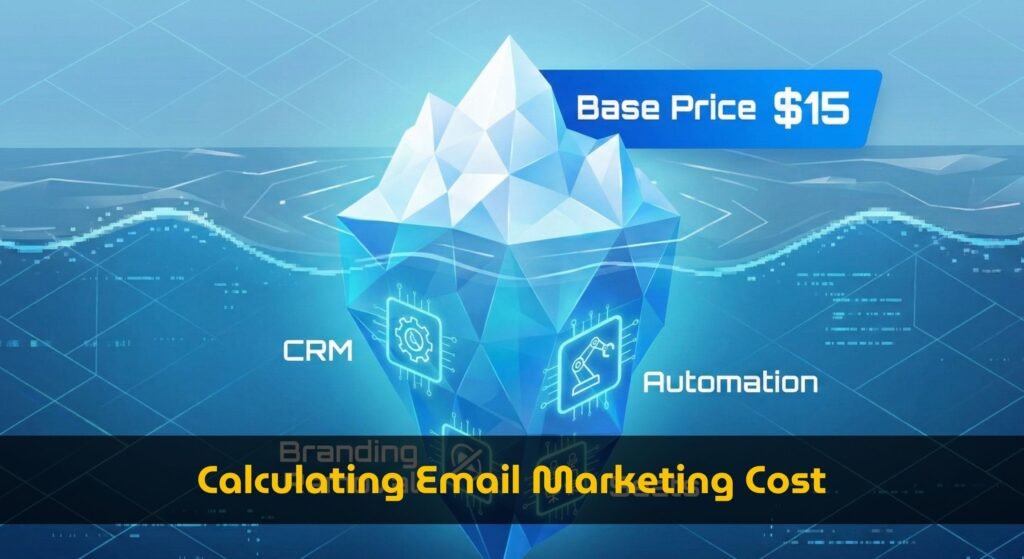

In the world of digital marketing, we are often obsessed with “Growth.” We celebrate when our email list crosses 5,000, 10,000, or 50,000 subscribers. It represents potential reach, audience size, and market influence.
However, from a financial perspective, raw list size is a metric that requires careful auditing. In fact, an unoptimized email list can become a significant source of capital inefficiency on your P&L statement.
Why? Because SaaS platforms like ActiveCampaign, GetResponse, and Kit (ConvertKit) utilize a pricing model based on Subscriber Tiers. They charge you for every contact stored in your database, regardless of whether that contact opens your emails, clicks your links, or even remembers who you are.
If you are paying to store 10,000 contacts but only 2,000 are engaged, your average cost per email (ACPE) relative to revenue-generating users is effectively 500% higher than optimal. This is not just a “cost” issue; it is a “capital efficiency” issue.
This comprehensive guide utilizes our Email Marketing Cost Calculator to visualize the financial impact of list hygiene. We will explore how pricing tiers work, how to identify your “Efficiency Gap,” and how to optimize your email blast cost per thousand without sacrificing growth momentum.
The Mechanics of SaaS Pricing Tiers
To understand why costs increase non-linearly, we must examine the underlying data structure of Email Service Providers (ESPs). Unlike web hosting (which is often flat) or advertising (which is pay-per-click), ESPs use “Step Functions” for pricing.
Our 2026 database reveals specific “Tier Thresholds” where prices jump significantly. These thresholds are often where capital inefficiency hides.
Notice the jump. Adding that one single subscriber (the 2,501st person) effectively increases your monthly overhead by $50. If that person—and the 500 people before them—are inactive, you are paying a premium for data storage that yields no return.
Re-evaluating the “Email Blast Cost Per Thousand”
Marketers often calculate their CPM (Cost Per Thousand) based on the total list size.
Standard Calculation: $145 / 5,000 subs = $29 CPM.
This looks reasonable. But the Effective CPM should be calculated based on Engaged Subscribers.
Reality Check: If only 2,000 people open your emails, your functional cost is $145 / 2,000 = $72.50 CPM.
By simply holding onto inactive contacts, you are voluntarily doubling your marketing overhead. This is the “Efficiency Gap” that smart businesses work to close.
Visualizing the “Tier Cliff” with the Calculator
You can identify these specific thresholds for your tool using our calculator. This exercise helps you decide the optimal time to perform list maintenance.
1. Open the Cost Calculator.
2. Select your current tool (e.g., GetResponse).
3. Slowly drag the “Subscribers” slider to the right.
4. Watch the “Projected Monthly Bill” chart. You will see flat lines followed by sudden vertical spikes. Those spikes are your Tier Thresholds.
The Strategy: If your list size is approaching a spike (e.g., you are at 4,800 subs and the price jumps at 5,000), it is the perfect time to run a re-engagement campaign. Removing inactive users keeps you in the lower price bracket for months longer.
Comparative Analysis: Pricing Curve Slopes
Not all tools scale costs equally. When optimizing your average cost per email, the slope of the pricing curve matters significantly.
According to our dataset, different providers handle growth with different philosophies:
- Kit (ConvertKit): Increases are gradual. For the Creator plan, moving from 3,000 to 5,000 subscribers moves price from $59 to $89. A $30 increase.
- ActiveCampaign: Increases are steeper due to bundled features. Moving from 2,500 to 5,000 on the Plus plan moves price from $95 to $145. A $50 increase.
If your strategy relies on high-volume sending to a broad audience (where engagement might be lower), a tool with a flatter pricing curve like Kit or AWeber often yields a better capital efficiency ratio than complex CRM-heavy tools.
Optimize Your Entire Marketing Stack
Savings from list hygiene can be reinvested into other high-growth channels. Just as you audit your email costs, we recommend auditing your SEO software spend to ensure you aren’t overpaying for data credits you don’t use.
Financial Hygiene: The Optimization Workflow
To maintain a healthy marketing budget, we recommend a quarterly “Financial Hygiene” audit. This ensures you are maximizing the utility of every dollar spent on software.
Step 1: The “Cold Subscriber” Identification
Export your list and filter by “Last Opened.” If a subscriber hasn’t opened an email in 90 days (or 6 months for lower frequency senders), categorize them as “Cold.”
Step 2: The Re-engagement Sequence
Send a specific campaign to these “Cold” users: “Do you still want to hear from us?”. This gives them a chance to opt-in again. If they don’t click, they are candidates for removal.
Step 3: The Savings Simulation
Use our calculator to simulate the financial impact.
Scenario: You have 10,500 subs. Removing 600 inactive users brings you down to 9,900.
That is $480 in pure capital, retained simply by organizing data more effectively. This capital can be redeployed into ad spend, content creation, or better tooling.
Conclusion: Efficiency is the New Growth
In 2026, the most successful marketing teams aren’t just growing their lists; they are curating them. By focusing on your average cost per email relative to engaged subscribers, you transform your email list from a cost center into a highly efficient revenue engine.
Don’t let the “Tier Thresholds” catch you by surprise. Use the data, visualize the pricing jumps, and clean your list before the invoice arrives.
Visualize Your Pricing Tiers
Drag the slider to see exactly where your price jumps happen and how much you can save.
Launch Tier Calculator💡 Next Step: Audit Your Platform Costs
Now that you’ve cleaned your email list to avoid overage fees, it’s time to evaluate if you are on the right pricing tier. Check out our comprehensive Creator vs B2B email marketing pricing guide to stop paying for hidden “CRM tax” and unused features.