
The best email marketing software for small businesses is not automatically the platform with the longest feature list or the lowest advertised price. It is the provider your team can configure correctly, use consistently, and afford as your audience grows.
A weekly newsletter publisher has different needs from an ecommerce operator building purchase-triggered journeys. A consultant may need one dependable signup form and a welcome sequence, while a local service company may care most about segmentation, appointment reminders, and simple reporting.
This guide is a decision hub rather than a universal ranking. It matches AWeber, MailerLite, Brevo, and Mailchimp to distinct small-business jobs: newsletter publishing, simple automation, list growth, reporting, support, pricing, and migration.

Who this guide is for
This comparison is intended for US small-business owners, solo operators, consultants, creators, nonprofits, local service companies, online stores, and small marketing teams choosing a permission-based email marketing platform.
You are likely in the right place if you need to:
- Send recurring newsletters without relying on a developer.
- Create a welcome series, lead-magnet delivery sequence, or follow-up campaign.
- Collect subscribers through forms, landing pages, events, or ecommerce touchpoints.
- Review delivery, bounces, unsubscribes, opens, and clicks.
- Move from spreadsheets, a basic newsletter tool, or another provider.
- Forecast cost as contacts and monthly sends increase.
This is not an enterprise marketing-operations ranking. Businesses that need complex customer-data orchestration, advanced permissions, dedicated IP management, or sophisticated event-based sales workflows may need a different evaluation.
How we selected the shortlist
The shortlist is organized around practical jobs instead of a single numerical score. We evaluated each platform against the following questions:
- Newsletter workflow: Can a small team create, preview, schedule, and reuse campaigns efficiently?
- Automation: Can the owner build a useful welcome or follow-up sequence without excessive setup?
- Audience growth: Are forms, landing pages, tags, groups, and segmentation available on the intended plan?
- Pricing logic: Does the bill primarily reflect contacts, email volume, feature tiers, or a combination?
- Support and deliverability: Are authentication, unsubscribes, bounces, and sending requirements clear?
- Migration effort: Can you export and rebuild the data, forms, segments, and automations you actually use?
- Small-business fit: Can a solo owner or small team make progress without building an unnecessarily complicated marketing stack?
Provider plan information was checked on August 8, 2026. Prices, plan names, limits, trial terms, taxes, and availability can change. The provider links included below are the appropriate sources for account-specific pricing.
Must-have capabilities for a small business
1. A repeatable campaign editor
Look for a mobile-friendly editor, reusable templates, image handling, buttons, preview tools, test sends, and basic brand controls.
The important question is not whether the first email looks good. It is whether the tenth campaign is still quick to produce when you are busy serving customers.
2. Useful—not merely advanced—automation
Most small businesses should be able to build at least a welcome sequence, lead-magnet delivery email, and one follow-up message.
Helpful triggers may include joining a list, submitting a form, clicking a link, purchasing a product, or reaching a date. A simple workflow that gets published is more valuable than an advanced workflow that remains unfinished.
3. Segmentation and list hygiene
Segmentation can separate prospects from customers, local contacts from nationwide subscribers, or people interested in one service from people interested in another.
The platform should also make subscribed, unsubscribed, bounced, and inactive statuses understandable. Do not treat every imported address as an eligible marketing contact. Permission, consent records, suppression status, and list quality affect compliance and deliverability.
4. Forms and landing pages
List growth is a system, not a single embedded form. Check for hosted and embedded forms, landing pages, confirmation messages, redirects, consent language, and integrations with your website or commerce tools.
Our email sign-up forms checklist for small businesses covers placement, consent, confirmation, and compliance questions in more detail.
5. Reporting that answers business questions
At minimum, look for delivery, bounces, unsubscribes, opens, clicks, and link-level activity. These metrics do not prove revenue on their own, but they can show whether a message was delivered, noticed, and acted on.
For a more cautious approach to engagement signals and privacy, see our email tracker guide for small businesses.
6. A cost model you can forecast
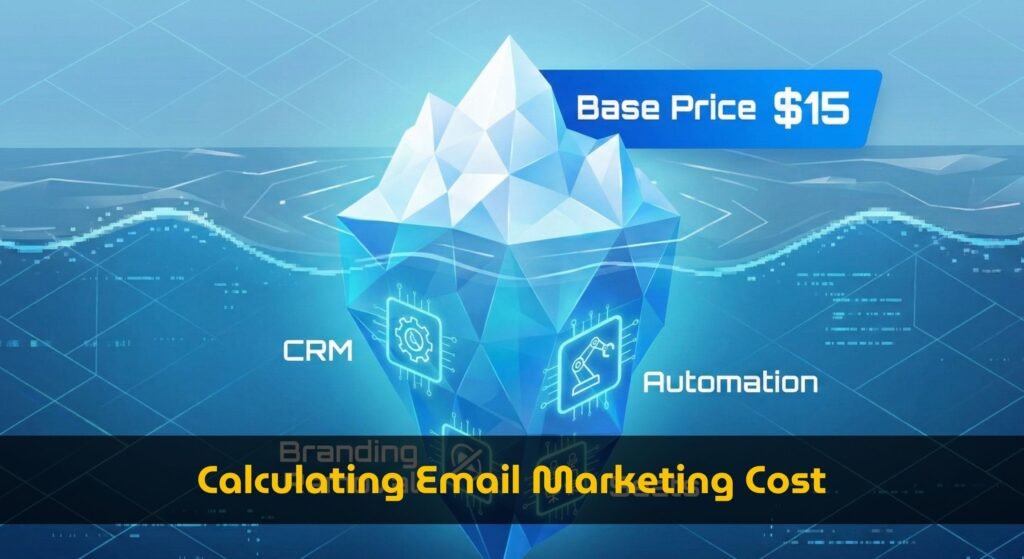
Some providers primarily price by stored contacts, while others make email volume central to the bill. Estimate both your list size and expected monthly sends before comparing fees.
Also check whether unsubscribed contacts count toward billing, whether duplicate contacts across audiences are charged, and whether premium features require a higher plan. Our guide to sends-versus-contacts pricing explains why this distinction matters.

Best email marketing software for small businesses at a glance
| Platform | Best-fit job | Important check |
|---|---|---|
| AWeber | Balanced newsletters, forms, automation, and support | Compare the subscriber and send tier at your expected list size |
| MailerLite | Simple newsletters, forms, landing pages, and visual automation | Review active-subscriber limits, monthly sends, and plan feature gates |
| Brevo | Send-volume planning and broader messaging tools | Model monthly sends, contact storage, automation, and channel add-ons together |
| Mailchimp | Familiar ecosystem and existing integrations | Check contact counting, audiences, send limits, and feature gates |
This is a fit guide, not a universal winner. The right platform is the one whose first limitation is least damaging to your business.
Best for newsletters and a balanced workflow: AWeber
AWeber is a sensible first comparison for a small business whose main job is publishing regular newsletters while also building basic follow-up automation.
AWeber’s official documentation currently describes Free, Lite, Plus, and Unlimited plans, with subscriber and sending information varying by plan. Its documentation also shows plan-specific send allowances and directs customers to the live pricing page for current comparisons. Review AWeber’s plan documentation and AWeber’s current pricing page before purchasing.
AWeber may fit especially well when you want one conventional email marketing home base for:
- Recurring newsletters.
- A welcome sequence for new subscribers.
- Signup forms and landing pages.
- List organization and campaign reporting.
- Access to support while learning the system.
Why it stands out: AWeber covers the basic small-business loop without requiring you to assemble separate newsletter, form, and automation tools.
Watch closely: Subscriber count and sending frequency can affect the next tier. Model your likely 12-month audience rather than judging only by the entry price.
Best fit: A small business that wants a balanced newsletter-and-automation system and values conventional support options.
Best for simple automation: MailerLite
MailerLite is a strong candidate for owners who want a visual workflow with relatively low setup friction. Its current pricing page lists Free, Comfort, Power, and Enterprise plans.
The Free plan is listed for up to 250 subscribers and 2,500 monthly emails. The page also lists core campaign, automation, landing-page, website, signup-form, and reporting capabilities. See MailerLite’s current pricing comparison for the live limits and feature table.
MailerLite’s free-plan update explains that the subscriber limit changed from 500 to 250 and the monthly sending limit changed from 12,000 to 2,500 on June 16, 2026. The same update says additional feature-use limits were planned to apply to free accounts starting August 13, 2026, so the account-level terms should be checked before relying on the free tier.
MailerLite is a good candidate when:
- You want newsletters, forms, landing pages, and automation in one account.
- You prefer a visual builder over a heavily technical workflow.
- You are starting with a small list and expect to grow gradually.
- You want to test the workflow before committing to a paid tier.
Why it stands out: The free tier can help validate a basic email process before you commit to recurring software costs.
Watch closely: Free accounts can lose sending access when they exceed the active-subscriber limit. Paid plans also vary by subscriber tier, sending allowance, seats, forms, automations, and support.
Best fit: A solo operator or small team that values a clean interface and approachable nurture sequences.
Best for send-volume planning and broader messaging: Brevo
Brevo deserves attention when you may store a large contact database but send relatively few campaigns to each person, or when email is one part of a broader customer-communication system.
Brevo’s official pricing documentation describes plans built around monthly email volume while also specifying contact-storage limits for individual tiers. It positions the platform as supporting email, SMS, WhatsApp, chat, transactional messaging, and related customer-relationship tools. See Brevo’s current plan documentation.
For example, Brevo’s documentation lists a Free plan with 300 daily email sends and storage for up to 100,000 contacts, while its Starter tiers combine selected monthly send volumes with contact-storage limits. These limits are not interchangeable with a simple “unlimited contacts” claim; model the specific tier and account features you need.
Brevo may suit:
- Businesses with a broad but unevenly engaged database.
- Teams that send campaigns in bursts instead of emailing every contact frequently.
- Companies that want email and other messaging channels under one provider.
- Marketers willing to forecast monthly volume rather than compare subscriber counts alone.
Why it stands out: The pricing conversation starts with send volume, which can be useful when contact storage and campaign frequency do not grow at the same rate.
Watch closely: Calculate monthly sends, stored contacts, automation usage, branding removal, additional channels, taxes, and add-ons together. Volume-based pricing is not automatically cheaper.
For a small-business-focused review, read our Brevo email marketing analysis.
Best fit: A business whose list is growing faster than its sending frequency or one that wants a broader communications platform.
Best for a familiar ecosystem: Mailchimp
Mailchimp may be practical for teams that already rely on its integrations, templates, audience structure, or staff experience.
Mailchimp’s official pricing documentation explains that paid-plan pricing combines the selected plan with a maximum contact count and includes a set number of monthly email sends. It also states that subscribed, non-subscribed, and unsubscribed contacts count toward the contact limit. Review Mailchimp’s pricing-tier documentation and current marketing pricing before switching or renewing.
Compare:
- How contacts are counted across audiences.
- Which automation and segmentation features are included at your tier.
- Whether provider branding remains on your emails.
- How many users and permissions your team needs.
- What the bill becomes at the next two contact thresholds.
Why it stands out: Existing integrations and team familiarity can reduce migration effort.
Watch closely: A familiar interface does not guarantee the lowest total cost. Include audience duplication, contact rules, send limits, and overages in your calculation.
Best fit: A small business already invested in Mailchimp-compatible tools and satisfied with the current total cost.
Deliverability and support: what should you expect?
No provider can guarantee inbox placement. Deliverability depends on sender reputation, authentication, list quality, engagement, complaint rates, content, and recipient-provider decisions.
Google’s email sender guidelines recommend authentication and clear unsubscribe handling. Its bulk-sender guidance discusses SPF, DKIM, DMARC, valid DNS configuration, TLS, spam-rate controls, and one-click unsubscribe for relevant marketing messages.
A small business should look for:
- Clear unsubscribe and suppression handling.
- Permission-based list practices.
- Bounce and complaint monitoring.
- SPF, DKIM, and DMARC setup guidance.
- Documentation about sending limits and account reviews.
- Support that matches the urgency of your campaign schedule.
Open and click data can support decisions, but it is not a complete measure of revenue or customer intent. Use only the tracking needed for a clear business question. Our email tracking guide discusses useful signals without encouraging unnecessary surveillance.
Migration questions to answer before switching
Migration is more than importing a CSV. The difficult part is rebuilding the logic around the file.
Can you export the data that matters?
Confirm whether your current provider lets you export contacts, custom fields, tags, consent records, unsubscribe status, campaign history, and automation-related data. Historical reports and behavioral events may not transfer completely.
How will segments map to the new platform?
One provider may use tags, another may use lists, groups, segments, or custom fields. Create a mapping document before importing so customers do not accidentally receive prospect messaging.
Can you preserve forms and links?
List every embedded form, hosted landing page, confirmation page, lead-magnet URL, and website integration. Keep the old forms active until the replacement has been tested on desktop and mobile.
What happens to active automations?
Rebuild welcome sequences, reminders, abandoned-cart flows, and other journeys in a controlled process. Test triggers, timing, personalization fields, links, unsubscribe behavior, and exit conditions before sending live traffic.
Will the new provider accept your list?
Providers may review purchased, scraped, old, or heavily inactive lists. A permission-based list is safer for compliance and deliverability. If you need to build an audience from scratch, use our guide to building an email list without buying contacts.

Free versus paid email marketing software
A free plan can be appropriate when you are validating an offer, building your first list, or sending occasional updates to a small audience. It gives you time to learn the editor, publish forms, and test one useful sequence.
Free plans become restrictive when you need more contacts, higher monthly volume, multiple users, advanced segmentation, provider-brand removal, priority support, or ecommerce automation.
Choose paid software when:
- Email is producing enough value that reliability and time savings justify a monthly cost.
- You need features hidden behind the free tier.
- Your audience is approaching the free contact limit.
- You need more sending volume or additional users.
- You are spending more time working around limits than creating campaigns.
Free does not mean costless. You still invest time in setup, copy, design, compliance, list hygiene, and reporting. See our guide to free email marketing platforms for small businesses for a closer evaluation framework.
Small-business comparison checklist
Write down the answers before selecting a provider:
- How many active contacts do we have now?
- How many contacts might we have in 12 months?
- How many emails will we send each month?
- Do we need one audience, multiple audiences, tags, groups, or segments?
- Which three automations will we build first?
- Do we need landing pages, ecommerce triggers, SMS, or transactional email?
- Which integrations are essential?
- How many team members need access?
- Which support channel do we need before a campaign deadline?
- Can we export our data if we leave?
- What will the price be at our next two list-size thresholds?
- Does the selected tier include the required features, or merely advertise them as available somewhere on the platform?
Then run a small scenario test: create one newsletter, one signup form, and one welcome sequence. Review the signup experience on a phone and confirm that the test contact enters the correct automation. This often reveals more than a feature grid.
Our practical recommendation: evaluate AWeber first if you want balance
For many small businesses, AWeber is a useful starting point because it covers the fundamental workflow: collect permission-based subscribers, send newsletters, create basic automated follow-up, review campaign performance, and get help when necessary.
That is not a claim that AWeber is right for everyone. Compare Brevo if send volume and multichannel messaging drive your economics. Evaluate MailerLite if a simple visual workflow is your highest priority. Include Mailchimp if your integrations and team familiarity make switching expensive.
If AWeber’s current plans match your audience size, monthly sending, and support requirements, you can learn more about AWeber through our partner link.
Affiliate disclosure: TrueSaasCost may receive compensation if you purchase through some links in this article. That relationship does not change the selection criteria or guarantee that a provider is right for your business. Confirm current pricing, limits, terms, and features directly with the provider before subscribing.
Final decision
Choose AWeber if you want a balanced newsletter-and-automation system with forms, landing pages, reporting, and support.
Choose MailerLite if a straightforward interface and approachable automation matter more than the broadest possible ecosystem.
Choose Brevo if your economics are better represented by monthly send volume than stored-contact count, or if you need multiple communication channels.
Choose Mailchimp if existing integrations, team familiarity, and established workflows outweigh the possibility of finding a lower-cost alternative.
The best email marketing software for small businesses is the platform your team can configure correctly, use consistently, and afford as the audience grows. Start with one newsletter, one signup path, and one useful automated sequence. Add complexity only when your business has a clear reason to do so.