
“Free” is not a complete description of an email marketing platform.
A no-cost plan may limit the number of contacts you can store, the number of messages you can send, the number of users who can access the account, or the automations you can build. Some plans add platform branding. Others provide only short-term human support or rely mainly on self-service documentation.
For a small business, the best free email marketing platform is not necessarily the one with the largest headline number. It is the one whose restrictions fit your list size, campaign schedule, design needs, and tolerance for future upgrades.
This guide compares the practical tradeoffs behind four widely considered options: Brevo, MailerLite, Mailchimp, and HubSpot.

When is free email marketing appropriate?
A free platform is usually appropriate when you are testing whether email belongs in your marketing mix. It can work well if you are:
- Building your first permission-based subscriber list.
- Sending one or two newsletters per month.
- Testing a lead magnet, signup form, or welcome email.
- Running a local service business with a few hundred subscribers.
- Learning how segmentation, templates, reporting, and unsubscribe management work.
Free is less suitable when email directly supports sales, onboarding, ecommerce recovery, memberships, or time-sensitive announcements. A daily sending cap, missing automation feature, or required branding can create more business friction than a modest paid subscription.
Do not confuse free email marketing with free business email hosting. A marketing platform sends campaigns to a permission-based list. Business email hosting gives you an address such as you@yourcompany.com for one-to-one communication. Our guide to business email hosting pricing models covers the second category.
How we evaluated free email marketing platforms
We focused on the constraints a small-business owner is most likely to notice after creating an account.
Contacts versus active subscribers
Some vendors emphasize stored contacts. Others make monthly sends the more important limit. A plan that stores thousands of records may still be inconvenient if you cannot send a full-list campaign on the day you need it.
Check how the vendor treats unsubscribed, inactive, and non-marketing contacts. “Contacts stored” and “contacts you can email” are not always the same thing.
Monthly and daily sending limits
If you have 800 subscribers and send one newsletter each week, you will need approximately 3,200 individual sends in a four-week month. That is before adding welcome emails, tests, resends, or transactional messages.
Some platforms use a monthly allowance; others use a daily cap. A daily limit may be fine for an evergreen newsletter but frustrating for a product launch or event announcement.
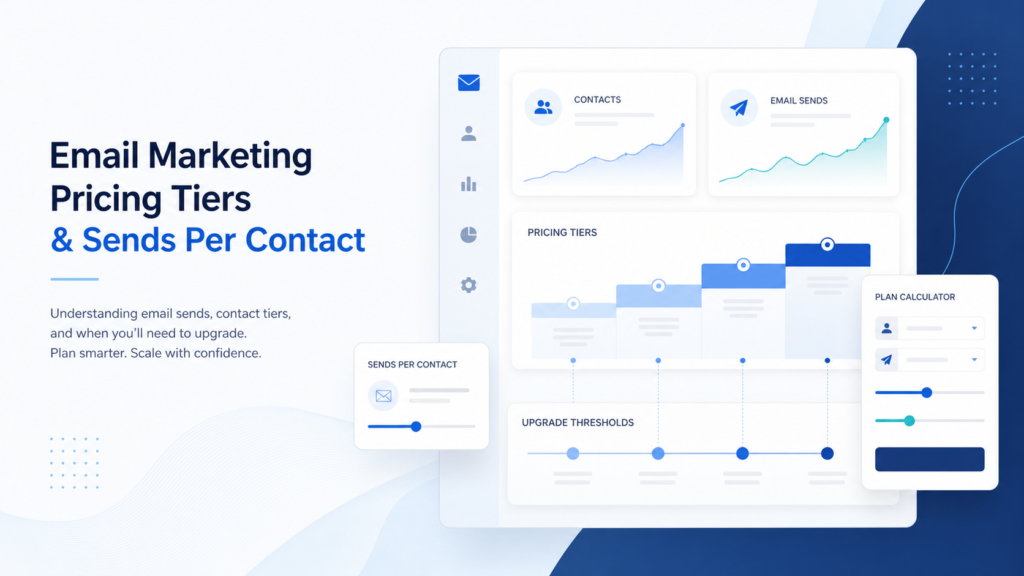
For more background, see our explanation of email marketing sends versus contacts pricing.
Automation depth
Free automation may mean a single welcome email rather than a complete customer journey. Look for limits on branching logic, behavioral triggers, workflow count, segmentation, and exit conditions.
Branding, templates, and support
Vendor branding is not automatically a deal-breaker. It becomes more significant when you send client education, proposal follow-ups, product announcements, or other high-value messages.
Also check whether free users receive live support, email support, chat support, or only documentation. Support time is part of the platform’s real cost, even when the subscription price is zero.

Best free email marketing platforms for small businesses
Brevo: best for large contact storage and modest sending needs
Brevo’s free plan is unusual because its contact allowance is much larger than its sending allowance. Brevo’s current plan overview and free-plan limits documentation list storage for up to 100,000 contacts and 300 email sends per day. The plan also includes one user seat, email and SMS campaigns, transactional email, and a drag-and-drop editor.
That structure can suit a business with a large database but a smaller active audience. You might store prospects, customers, and inactive contacts while sending regular campaigns only to a selected segment.
The daily cap is the important tradeoff. Brevo explains that unused daily sends do not roll over and that a campaign larger than 300 recipients may need to be requeued across multiple days. The vendor’s free-plan documentation also states that additional free-plan restrictions and branding may apply depending on the feature used.
Best fit: A small business that values contact capacity, basic automation, transactional email, or an email-and-SMS toolkit.
Watch before choosing: If your full list must receive a campaign on one specific day, the 300-per-day ceiling may matter more than the 100,000-contact allowance.
For workflow details and small-business context, read our Brevo email marketing review.
MailerLite: best for a very small list that needs a visual toolkit
MailerLite is appealing when the owner—not a dedicated marketing team—will build the emails. Its free-plan page lists 2,500 monthly emails, two user seats, three visual automations, one website, one landing page, three signup forms or pop-ups, A/B testing, and reports for up to 250 subscribers. Its pricing comparison separately confirms the 250-subscriber and 2,500-email limits.
MailerLite changed its free plan on June 16, 2026. According to the vendor’s free-plan update FAQ, the subscriber limit fell from 500 to 250 active subscribers, the sending limit fell from 12,000 to 2,500 monthly emails, and the account limit increased from one to two seats. The same notice says the feature-use limits are planned to apply to all free accounts on August 13, 2026.
This makes MailerLite a useful design-and-learning environment for a very small list, but a less comfortable long-term home if your audience is approaching 250 active subscribers. If you exceed the subscriber or monthly-send limit, the vendor says sending can be paused until you reduce the list, wait for the reset, or upgrade.
Support is also time-limited. MailerLite lists 24/7 email and chat support for up to 14 days, after which free users should expect more reliance on help articles and self-service resources.
Best fit: A solo operator or small team building newsletters, signup forms, landing pages, and a few straightforward automations.
Watch before choosing: The 250-active-subscriber ceiling can create an upgrade decision sooner than expected.
Mailchimp: best for familiarity, not free capacity
Mailchimp remains familiar to many small businesses, agencies, and freelancers. That familiarity can reduce the learning curve if a colleague or contractor already knows the interface.
Mailchimp’s current pricing page and plan documentation list the Free Marketing plan at up to 250 contacts, 500 sends per month, and a 250-send daily limit. The plan includes one audience, one seat, basic templates, a one-click automated welcome email, and basic reporting.
Mailchimp also explains that one email sent to 500 contacts counts as 500 individual sends. A list of 250 people receiving two newsletters in one month would therefore use the entire monthly allowance before tests, resends, or other automated messages.
Mailchimp’s documentation says sending can be placed on hold if the free contact limit is exceeded. That makes list hygiene and upgrade timing important, especially if you are collecting new subscribers during a promotion.
Best fit: A beginner with fewer than 250 contacts who values familiarity and sends infrequently.
Watch before choosing: The contact and send limits work together; exceeding one does not make the other more generous.
When comparing Mailchimp with MailerLite, use your actual list size and campaign cadence rather than only the template experience. Our MailerLite versus Mailchimp comparison provides a separate feature and pricing framework.
HubSpot: best when email needs a CRM around it
HubSpot’s free marketing tools are broader than a standalone newsletter editor. The company’s Marketing Hub pricing page lists 2,000 email sends per calendar month with HubSpot branding and one automated action. HubSpot’s email marketing product page positions the tool alongside forms, CRM records, reporting, and related marketing functions.
This can be useful for a service business that wants to connect a form submission with a contact record, track basic engagement, and keep customer context in one system.
The tradeoff is complexity. HubSpot can become a broader marketing-and-sales system, but that may be unnecessary if your only goal is a monthly newsletter. The free tier’s sending and automation limits are also narrower than the broader CRM story may initially suggest.
Best fit: A small business that wants email connected to a CRM and expects to add forms, sales tracking, or customer workflows later.
Watch before choosing: You are adopting a platform ecosystem, not merely a low-cost email sender.

Free-plan limitations that matter most
Branding can affect trust
A vendor footer may be acceptable for a new newsletter. It may look less appropriate in a client education sequence, proposal follow-up, or premium product launch.
Ask whether branding is removed on the first paid tier or only at a higher level. Also check whether branding appears in landing pages, forms, transactional messages, or only marketing emails.
Automation may mean one workflow, not a marketing system
Free automation can cover a welcome message after signup. It may not cover:
- Separate paths for customers and prospects.
- Behavior-based follow-up after a click.
- Abandoned-cart or post-purchase sequences.
- Lead scoring and sales notifications.
- Multiple forms feeding different journeys.
Before importing a complex workflow, map the triggers, branches, delays, and exit conditions you need. Then verify each requirement against the vendor’s current free-plan documentation.
Support is part of the real cost
A free account may cost no money but still cost time. If you spend hours troubleshooting a form, domain authentication, list import, or failed campaign, the plan is not economically free for your business.
Look for documentation covering domain verification, authentication, list imports, unsubscribes, bounce handling, and account review. If you need human help, confirm whether it is available to free users and whether the access is permanent or limited to an introductory period.
Deliverability is not a free-plan checkbox
Deliverability depends on permission, list quality, engagement, authentication, sending behavior, content, and the reputation of the infrastructure sending your mail. A free plan can provide useful controls, but it cannot make a purchased or stale list perform well.
At minimum, use permission-based acquisition, authenticate your sending domain where the platform supports it, avoid purchased lists, remove persistent bounces, and make unsubscribing easy. Send a small test before a major announcement.
Do not confuse marketing email with transactional email such as password resets, receipts, or account alerts. Those use different requirements and economics; see our guide to transactional email pricing models.
Which free platform has the best templates and automation?
MailerLite is the most practical visual-builder choice for a list that remains below its current limits. The vendor lists drag-and-drop, simple, and custom HTML editors, forms, landing pages, A/B testing, reports, and three visual automations on the free plan.
Brevo is more compelling when contact storage and transactional email matter more than sending a large campaign in one day. Its free plan’s 300-email daily limit is the central operational constraint.
HubSpot is strongest when email is part of a CRM-centered process. The free tier’s one automated action and 2,000 monthly sends make it better for a basic connected workflow than for complex lifecycle marketing.
Mailchimp is easiest to justify when existing team knowledge outweighs the tighter allowance. Its free plan is best treated as a way to test the product with a very small audience, not as a generous long-term sending platform.
What triggers an upgrade?
The right upgrade moment is not necessarily when the platform blocks you. Waiting until a campaign fails or a list import is rejected creates avoidable pressure.
- Your list is approaching the free contact or subscriber limit.
- Your normal monthly sends leave no room for tests, resends, or onboarding.
- You need to remove platform branding.
- Your welcome series needs branching logic or more workflows.
- You require reliable human support during launches.
- Your business needs deeper segmentation, reporting, or authentication controls.
- A daily sending cap conflicts with your event or sales calendar.
Compare upgrade friction before committing. Does the paid plan preserve your templates, forms, automations, and reporting? Does the vendor price by contacts, sends, seats, or a combination? Can you downgrade later without rebuilding your account?
Our guides to sends per contact and pricing tiers and popular email marketing platform pricing and features explain these cost structures in more detail.

Free email marketing platform decision checklist
- List size: How many marketable contacts do you have today, and how quickly is the list growing?
- Sending schedule: How many campaigns and automated emails will you send each month?
- Timing: Must every subscriber receive a campaign on the same day?
- Branding: Is a vendor footer acceptable in customer-facing email?
- Automation: Do you need one welcome message or several branching journeys?
- Design: Are basic templates enough, or do you need custom HTML and reusable sections?
- Support: Can you troubleshoot setup issues without live assistance?
- Deliverability: Can you authenticate your domain and maintain a clean, permission-based list?
- Upgrade: What specific event will cause you to pay, and what will the next plan unlock?
Our practical recommendation
Choose Brevo if contact storage is your main concern and 300 sends per day is workable. Choose MailerLite if you have a very small list and want a friendly visual builder with forms, landing pages, and limited automation. Choose Mailchimp if familiarity is more valuable than free capacity. Choose HubSpot if email should connect to a CRM and broader sales process.
The distinctive lesson is that the platforms optimize for different constraints:
- Brevo optimizes for stored contacts.
- MailerLite optimizes for creative tools on a small list.
- Mailchimp optimizes for a familiar beginner experience.
- HubSpot optimizes for CRM context.
Calculate one realistic month before choosing. Include your newsletter, welcome series, test messages, resends, and seasonal campaigns. If the free tier works only when nothing goes wrong, it is not a durable choice.
When a paid alternative is the smarter starting point
A paid plan can be reasonable from the beginning when email is central to customer acquisition or retention. It may provide more room for automation, fewer branding compromises, better support, and a smoother path as your list grows.
If you want to compare a paid email marketing option rather than repeatedly moving between free tiers, explore AWeber’s email marketing plans. Evaluate the included contacts, sends, automation, templates, support, and upgrade path against your actual operating needs.
The goal is not to avoid paying forever. The goal is to avoid paying before you know what you need—and to avoid choosing a free plan whose limits quietly interfere with the business you are trying to build.