
An email list is more than a spreadsheet of addresses. For a small business, it is a permission-based communication channel made up of people who have chosen to hear from you. That distinction affects how you attract subscribers, what you promise, which messages you send, and how you respond when someone no longer wants updates.
The goal is not to collect the largest possible number of contacts. It is to build a relevant, understandable, and manageable audience. A smaller list of people who recognize your business and expect your messages can be more useful than a larger list made up of unfamiliar recipients.

What is an email list?
An email list is a collection of subscriber records used for newsletters, promotions, educational content, product updates, onboarding, or other messages. At minimum, a record normally includes an email address. Depending on your needs, it may also include a first name, signup source, interests, customer status, location, or engagement history.
Mailchimp defines an email list as subscribers who willingly choose to receive messages through opt-in forms, landing pages, or other signup methods. Twilio’s email-list guide likewise describes a list as people who consent to receive email and explains how additional context can support segmentation.
Those details can help you send more relevant messages. A local service business might separate prospects from current customers. A software company might distinguish trial users from paying customers. A retailer might let subscribers choose between product announcements and educational content.
However, every extra field creates work and can reduce signup completion. Start with the minimum information you can use. In many cases, an email address and an optional first name are enough.
Why you should not buy an email list
Buying contacts may seem faster than earning subscribers, but a purchased list does not automatically give your business permission to send marketing messages. Recipients may not know your company, may not remember agreeing to receive your messages, or may have supplied their address for a different purpose.
Twilio advises against purchasing email lists because unexpected messages are more likely to be ignored, unsubscribed from, or reported as spam. The practical problems include:
- Low engagement: unfamiliar recipients have little reason to open or click.
- Unclear permission: you may not know when, where, or for what purpose someone agreed to receive email.
- Invalid addresses: older or poorly maintained databases may contain mistyped, abandoned, or bouncing addresses.
- Sender-reputation risk: complaints and poor engagement can make future delivery more difficult.
- Weak customer experience: an unexpected sales email can reduce trust before a relationship begins.
Permission-based growth takes longer because each subscriber makes an active choice. That is also its advantage: you can connect the signup to a specific offer, page, event, or purchase and preserve the context around the subscription.

How do I create an email list?
Use a repeatable five-part process:
- Choose a clear audience and purpose.
- Create a worthwhile signup offer.
- Place forms where interested people already interact with your business.
- Set expectations and deliver a useful welcome experience.
- Review, segment, and clean the list as it grows.
This sequence prevents a common small-business mistake: publishing a form before deciding what the subscriber relationship is supposed to look like.
1. Decide what the list is for
Write one sentence that explains the job of your email list. For example:
- “We send one practical bookkeeping tip every Tuesday.”
- “Subscribers receive local class dates, registration reminders, and occasional member offers.”
- “We share product education, feature announcements, and customer-only resources.”
A specific purpose makes signup copy easier to write and helps you decide which messages belong on the list. It also stops the audience from becoming a miscellaneous collection of people gathered through unrelated activities.
2. Create a useful lead magnet
A lead magnet is a useful resource offered in exchange for a person’s email signup. It does not need to be elaborate. The strongest offer is usually connected to a problem your business already solves.
Small-business examples include:
- a checklist for preparing for a service appointment;
- a calculator, worksheet, or template;
- a local buying or planning guide;
- a sample project brief;
- a beginner’s glossary;
- a short email course;
- a product comparison guide;
- early notice of workshops, openings, or limited inventory.
Mailchimp’s list-building guidance identifies branded signup forms and pop-ups as common acquisition methods, while its list-management guidance recommends aligning the offer with the audience and business goal.
Make the promise concrete. “Join our newsletter” tells visitors very little. “Get the five-step maintenance checklist used before every seasonal service visit” gives them a clearer reason to subscribe.
Avoid offers that attract people who are unlikely to care about your business. A generic giveaway may increase signup volume while producing few genuinely interested subscribers.
3. Put signup forms in useful locations
Your form should appear near moments of interest—not necessarily everywhere at once. Consider:
- Homepage: useful when your business has a broad, simple promise.
- Relevant blog posts: match the offer to the topic being read.
- Service or product pages: offer guidance related to the purchase decision.
- Checkout or appointment confirmation: present a separate, clear marketing choice rather than assuming a transaction equals newsletter permission.
- Contact page: invite updates from visitors who are not ready to buy.
- In-person events: use a tablet, QR code, or printed instruction that lets people submit their own information.
- Social profiles: link to a dedicated signup page instead of asking people to post addresses publicly.
Keep the form short. Explain what the subscriber receives, how often you expect to send, and where they can change preferences or unsubscribe. Ask only for information that changes what you will send.
Pop-ups can be useful when they are timely and easy to dismiss, but they should not obscure the page immediately or make the visitor feel trapped. Test every form on a phone before promoting it.
4. Make signup confirmation understandable
After submission, show a confirmation message that answers three questions:
- Did the signup work?
- What happens next?
- Where will the promised resource arrive?
If you use a confirmation email, tell people to look for it and explain which sender name they should recognize. A confirmed signup can help catch accidental or mistyped subscriptions, although the best workflow depends on your audience, platform, and operating needs. Twilio discusses single and confirmed opt-in approaches, including the trade-off between lower signup friction and stronger validation.

What should the welcome email say?
The welcome email should make the relationship predictable. Deliver the promised resource first, then briefly explain what subscribers can expect from you.
A practical welcome email can include:
- A thank-you for joining.
- The download or next step promised on the form.
- A short description of your business.
- The typical email frequency.
- The kinds of content you send.
- A way to manage preferences or unsubscribe.
- One low-pressure next action, such as reading a guide or replying with a question.
Twilio recommends setting expectations early and offering preference controls so subscribers can influence the types and frequency of messages they receive. That creates a useful operational distinction: a preference center is not merely a compliance feature; it is also a way to learn what your audience wants.
Avoid turning the welcome email into a long company history. The subscriber is asking, “What did I sign up for, and will this be useful?” Answer those questions quickly.
Keep your promise over time. If the form says “monthly tips,” do not immediately send several daily sales messages. If you want to change frequency or add promotional content, explain the change and provide a way to choose what subscribers receive.
How should a small business segment an email list?
Segmentation means dividing subscribers into meaningful groups so that each group receives more relevant messages. Mailchimp describes segmentation as grouping subscribers by shared traits, behavior, interests, or needs. You do not need a complex data warehouse; begin with information you can collect accurately and use responsibly.
| Segment | Possible use |
|---|---|
| Prospects | Educational content and decision-making guidance |
| Current customers | Care instructions, support, loyalty offers, or related products |
| Past customers | Renewal reminders, replenishment messages, or reactivation campaigns |
| Signup source | Content matched to the page, event, or offer that generated the signup |
| Interest | Different topics, product categories, services, or locations |
| Engagement | Recent clickers, inactive subscribers, and people eligible for re-engagement |
Use behavior before collecting sensitive personal details. A subscriber who downloads a guide about payroll may be a more useful segment than one based on an unnecessary demographic question.
Ask only for information that changes what you will send. You can also let subscribers update their interests after joining through a preference center or short survey.
Consent and unsubscribe practices
This article is general educational guidance, not legal advice. Email requirements can depend on the message, audience, location, business relationship, and other facts. Review the rules that apply to your situation and consider qualified professional advice when needed.
For US commercial email, the Federal Trade Commission’s CAN-SPAM guide explains that the law establishes requirements for commercial messages and gives recipients the right to stop receiving them. The FTC guide discusses accurate sender information, non-deceptive subject lines, a valid postal address, a clear opt-out method, and prompt handling of opt-out requests.
Operationally, build these habits into your workflow:
- Tell people clearly that they are signing up for marketing or newsletter messages.
- Do not imply that a purchase, inquiry, or download automatically means a person wants every type of email.
- Record the signup source and date when your platform supports it.
- Use an identifiable sender name and an accurate subject line.
- Provide a visible unsubscribe option in marketing messages.
- Process unsubscribe requests through your email platform instead of maintaining a separate manual list.
- Do not add unsubscribed people back without a new, clear subscription action.
Permission and unsubscribe are related but different controls. Permission explains why someone entered the audience; unsubscribe explains how they can leave. A well-organized system records both.
Privacy and consent standards may differ for people in other jurisdictions. A US-based business can still attract visitors or customers elsewhere, so check the relevant requirements before expanding a campaign internationally.
How do I maintain email list hygiene?
List hygiene is the ongoing work of keeping subscriber records accurate, wanted, and usable. Twilio recommends regularly reviewing bounced, inactive, and other non-engaging addresses rather than assuming a larger list is automatically healthier.
Use these maintenance habits
- Remove hard bounces: do not repeatedly send to addresses that cannot receive mail.
- Watch repeated soft bounces: investigate temporary delivery failures according to your platform’s guidance.
- Correct obvious data-entry errors: if someone provides a corrected address, preserve the new permission context rather than silently changing unrelated data.
- Review role addresses: addresses such as “info@” or “sales@” may not represent one individual subscriber.
- Review inactive contacts: send a re-engagement message before deciding whether to suppress or remove them.
- Honor unsubscribes and complaints: these are signals to stop sending, not obstacles to work around.
- Keep one source of truth: avoid copying contacts among spreadsheets, CRMs, and email tools without a clear synchronization process.
Do not delete every person who has not opened one email. Open tracking is imperfect, and inactivity should be evaluated over a reasonable period with multiple signals, including clicks, replies, purchases, or other known actions.
A simple re-engagement campaign might ask whether the subscriber still wants updates, offer a preference choice, and provide a straightforward unsubscribe path. If there is no response after the period you set, suppressing the contact can help keep future sends focused on people who still want them.

Which email list metrics should you monitor?
Metrics are useful when they lead to a decision. You do not need to study every number after every send, but you should establish a regular review.
- New subscribers: shows whether signup sources are producing interest.
- Unsubscribe rate: may reveal mismatched expectations, excessive frequency, or weak content.
- Bounce rate: highlights data-quality and delivery problems.
- Click rate: usually gives a more direct signal of action than an open alone.
- Complaint rate: signals that recipients may not recognize or want your messages.
- Conversion rate: connects a campaign to a defined business action, such as a booking, sale, registration, or reply.
- Engaged-list growth: tracks whether the people you add continue to interact.
Compare similar campaigns rather than treating every message as interchangeable. A welcome email, product announcement, and monthly newsletter may have different reasonable outcomes.
A practical email list tool workflow
A small business can begin with this workflow:
- Choose an email service provider: look for signup forms, segmentation, automation, unsubscribe handling, reporting, and export options.
- Create one primary audience: avoid creating a separate list for every form unless there is a strong operational reason.
- Add signup sources: label whether a contact came from a website form, event, guide, purchase flow, or another channel.
- Build the welcome automation: deliver the promised resource and set expectations.
- Create two or three starter segments: for example, prospects, customers, and inactive subscribers.
- Prepare a repeatable newsletter template: use a consistent structure so content production remains manageable.
- Review performance monthly: identify one improvement for the form, offer, content, or follow-up.
- Clean the audience periodically: handle bounces, complaints, unsubscribes, and long-term inactivity.
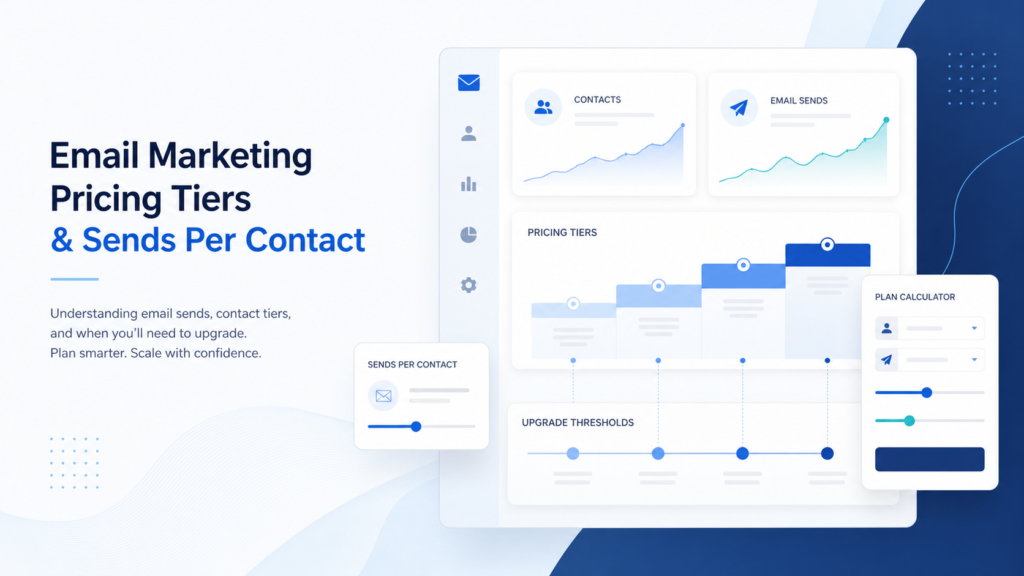
Tool pricing also affects how your process scales. Some services charge by stored contacts, while others emphasize monthly sends or feature tiers. TrueSaasCost’s guide to email marketing sends versus contacts pricing explains why the cheapest starting plan may not remain the cheapest as your list grows.
You can also review the Brevo email marketing review when assessing features, ease of use, and small-business fit. The right tool is the one your team can configure correctly and use consistently—not necessarily the one with the longest feature list.
Where can I find a list of emails?
For your own business, find subscribers in places where people voluntarily interact with you: your website, booking flow, customer education, events, receipts or account areas where appropriate, social profiles, and partner activities with clear expectations.
Do not treat public addresses, business directories, social followers, old business cards, or contacts copied from another system as automatic marketing permission. The better practical question is not “Can I find this address?” but “Did this person knowingly ask this business to send this type of email?”
How do I see my email contact list?
Your email service provider usually stores contacts in an audience, subscriber, or contacts area. Look for fields such as status, signup source, tags, segments, engagement, bounce history, and unsubscribe status.
Before exporting or editing contacts, confirm which system is authoritative. A spreadsheet can help with planning, but it should not become an uncontrolled second database. If your business uses a CRM, appointment system, ecommerce platform, or help desk, define which records sync to marketing and which do not.
What is the best first step?
Start with one audience, one clear offer, and one prominent signup form. Write down the exact promise: what subscribers receive, how often they receive it, and how they can leave. Then create the welcome email before promoting the form.
Once the process works, add a second acquisition source—such as a relevant blog form, event signup, or service-page offer—and label its source. Improve the list based on subscriber behavior, not vanity totals.
For a guided starting point, visit AWeber. Whichever platform you choose, the durable advantage comes from the same fundamentals: earn permission, provide value, send what you promised, and keep the list clean.