
Small businesses often search for an email tracker after sending a proposal, introduction, newsletter, or appointment reminder. The practical question is usually simple: did the recipient see it, interact with it, or need a follow-up?
Tracking can provide useful context, but it can also create false confidence. An open may be generated by an automated image request rather than a person. A missing open may reflect blocked images or privacy protection rather than disinterest. A click shows activity, but not motivation, identity, or purchase intent.
This guide explains what an email tracker measures, how newsletter reporting differs from one-to-one outreach, why open rates are imperfect, and how to choose a tool without overcollecting behavioral data.

What does an email tracker measure?
Most tracking tools use one or both of two mechanisms: a tracking pixel and tagged or redirected links.
Tracking pixels and open events
A tracking pixel is a tiny image inserted into an HTML email. When a mail application requests that image from the tracking provider’s server, the service may record an “open” event. Depending on the tool and mail environment, the report may include a timestamp, approximate location, device category, or mail-client information.
The important qualification is that the event is an image request, not a verified reading receipt. Gmail says external images normally display automatically, but it may ask the recipient to approve images when a sender or message appears suspicious. Gmail also explains that image loading can sometimes let senders know whether an image-containing message was opened. See Google’s Gmail image-loading guidance for the platform’s current explanation.
Apple Mail Privacy Protection creates another limitation. Apple says the feature prevents senders from seeing whether a recipient opened an email and hides the recipient’s IP address. The effect is that an email tracker may report an artificial, delayed, incomplete, or absent open depending on the recipient’s device and settings. See Apple’s Mail Privacy Protection documentation.
Therefore, open reporting is directional. It may help you compare broad campaign patterns, but it should not be treated as proof that a particular person read a message carefully.

Link clicks and redirect URLs
Click tracking commonly replaces a destination link with a unique redirect URL. When a reader selects the link, the tracking service records the event and then sends the reader to the intended page. A report may show which link was selected, when it happened, and which recipient record was associated with it.
Click data is often more actionable than open data because it represents an observable interaction. It still has limitations. Email security systems may inspect links automatically, a shared inbox may obscure the individual user, and a reader may click accidentally or simply explore an option. An email tracker should never describe a click as guaranteed buying intent.
Use click data to ask better questions:
- Which topic attracted attention?
- Did the call to action explain what would happen next?
- Did the landing page produce a form submission or booking?
- Is a follow-up useful, or would another message add pressure without value?
Email tracker use cases: newsletters versus one-to-one outreach
The appropriate level of tracking depends on the type of email you send. Newsletter analytics and individual outreach solve different business problems.
Newsletters and automated campaigns
For a newsletter, aggregate reporting can help improve future issues. You might compare subject-line approaches, identify links that consistently receive attention, or find inactive subscribers for a re-engagement sequence. The goal should be better content, not surveillance of individual readers.
A useful newsletter test changes one meaningful variable at a time:
- Compare two subject-line approaches with reasonably similar audience groups.
- Keep the main offer and sending schedule broadly consistent.
- Review clicks, replies, unsubscribes, registrations, and conversions—not opens alone.
- Record what changed before selecting the next test.
Because privacy features and image handling can distort opens, downstream actions usually deserve more weight. A high reported open rate with no clicks may indicate a compelling subject line but weak body content. A low reported open rate with strong clicks may reflect image or privacy behavior rather than poor campaign performance.
If you are comparing platforms, our guide to free email marketing platforms for small businesses explains what reporting and sending features may be included at no cost.
Sales, proposals, and one-to-one messages
One-to-one outreach creates a greater risk of overinterpreting an email tracker. A salesperson may see an open and assume a prospect is ready for a call. A consultant may see a proposal click and send several rapid follow-ups. That can feel invasive when the recipient expected a normal human exchange.
For personal outreach, tracking is most defensible when it answers a narrow operational question:
- Did a client interact with a proposal link after asking for it?
- Which resource version should be updated?
- Should a follow-up wait two business days rather than two weeks?
- Did a recipient visit the scheduling page that you specifically recommended?
Even in these situations, a reply is stronger evidence than an open. If the message matters, make the next action easy: ask one clear question, offer a visible scheduling option, or invite the recipient to reply with a preferred time.
Why open rates are limited
Open rates are appealing because they reduce a complicated interaction to a percentage. The weakness is that the percentage depends on technical behavior outside your control.
An open may be recorded when:
- A mail client loads the tracking image before the recipient reads the message.
- A security system scans or prefetches message content.
- A shared mailbox user opens the email, but the report attributes the event to one contact.
- A recipient opens the message repeatedly and generates multiple events.
An open may not be recorded when:
- The recipient reads a plain-text version.
- Images are disabled or blocked.
- The message is previewed without loading external content.
- Privacy technology preloads or obscures the event.
- The mail environment removes tracking elements.
That means an email tracker cannot reliably answer, “Did this person read my email?” It can sometimes answer a narrower question: “Did an event associated with this message occur?” That distinction should shape both reporting and follow-up.
What does click tracking tell you?
Click tracking connects an email to a specific destination. A campaign report may show whether readers selected an article, product page, registration form, or booking link. This can reveal which content deserves more attention.
Click data is not the same as intent data. A person may click out of curiosity, while comparing options, or by mistake. If a link leads to a form or purchase page, completed forms, replies, registrations, and transactions are stronger outcome measures than an email tracker event.
Good click-tracking practice includes:
- Use a recognizable destination and explain what the reader will receive.
- Avoid disguising a tracking redirect as an unrelated domain.
- Track only links that support a legitimate business decision.
- Keep old links out of active templates so reports remain understandable.
- Compare clicks with completed actions rather than treating every click as a lead.

Is email tracking illegal?
There is no universal yes-or-no answer. The applicable rules can depend on the sender’s location, the recipient’s location, the message’s purpose, the data collected, and the technology used.
In the United States, the CAN-SPAM Act covers commercial email, including many business-to-business messages. The Federal Trade Commission says commercial messages must use accurate header information and subject lines, include a valid physical postal address, and provide a way to opt out. Read the FTC’s CAN-SPAM compliance guide before sending commercial campaigns.
CAN-SPAM compliance does not automatically make every form of person-level tracking appropriate. Privacy expectations, state requirements, industry obligations, contracts, and international rules may also matter. For example, the UK Information Commissioner’s Office says tracking pixels in marketing email can fall under rules for cookies and similar technologies, in addition to the rules governing electronic marketing. See the ICO guidance on direct marketing using electronic mail and its guidance on tracking pixels and similar technologies.
A cautious small-business standard is:
- Collect only information you can explain and genuinely use.
- Give marketing recipients a clear unsubscribe option.
- Do not claim that tracking proves identity, attention, or intent.
- Review your privacy notice and vendor terms before enabling person-level tracking.
- Ask a qualified privacy professional about regulated or international outreach.
Permission to receive email is not necessarily the same as permission to collect every possible behavioral signal. Treat those as separate questions.
How to choose an email tracker for a small business
The best email tracker is not necessarily the one with the longest list of metrics. It is the one that provides enough information for a useful decision without creating unnecessary privacy, cost, or workflow problems.
Email tracker selection checklist
- Mail compatibility: Does it support the mailbox and sending method your team actually uses?
- Signal clarity: Does it distinguish opens, clicks, replies, bounces, and possible automated activity?
- Privacy controls: Can you disable individual tracking, exclude sensitive contacts, or use aggregate reporting?
- Link transparency: Does the service explain redirects and destination URLs?
- Data retention: How long are event records stored, and can you delete them?
- Team controls: Can administrators manage access without exposing every contact’s activity to everyone?
- Integrations: Will it fit your CRM, newsletter platform, calendar, or support process?
- Pricing basis: Is the charge based on users, contacts, sends, features, or a combination?
- Export and exit: Can you export useful reports if you change providers?
Be cautious with tools that promise certainty. No email tracker can guarantee delivery, prove that a recipient read an entire message, or establish that a click represents buying intent.
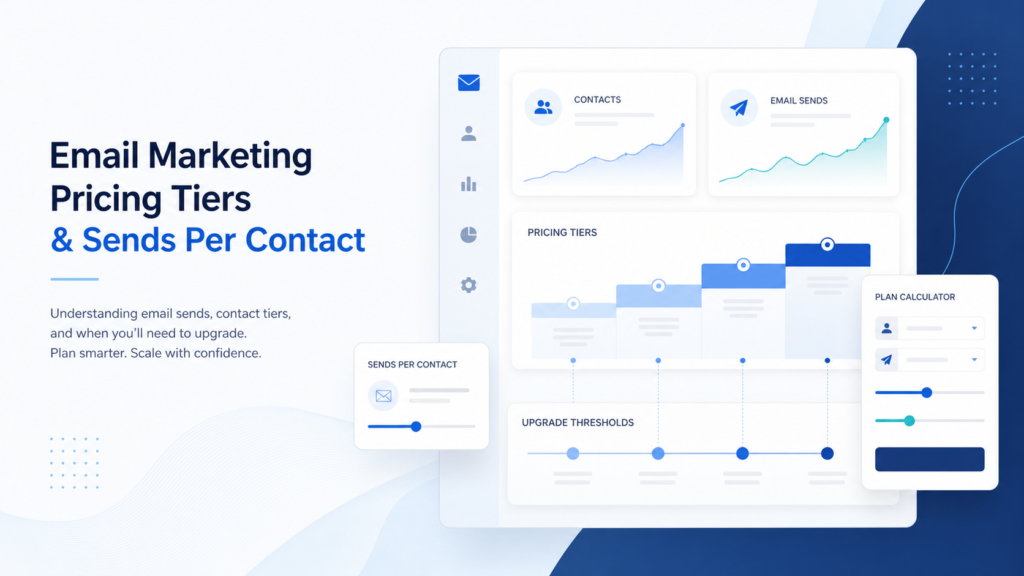
Pricing can also change the apparent value of a tool. Before comparing plans, review our explanation of email marketing sends versus contacts pricing and our guide to sends per contact and pricing tiers. A low entry price may become less attractive as your list, sending frequency, or team grows.
A practical reporting workflow
Tracking is most useful when it leads to a repeatable process. A small business does not need a complicated analytics stack to interpret an email tracker responsibly.
- Set the decision first. Decide whether you are improving subject lines, calls to action, follow-up timing, list hygiene, or content relevance.
- Choose the minimum useful signals. For many campaigns, clicks, replies, unsubscribes, and completed actions are enough.
- Separate automated from human-looking activity. Treat sudden repeated events or unusual timing cautiously.
- Review at a consistent interval. Avoid changing a campaign based on the first few minutes of activity.
- Record the action taken. Note whether you changed content, paused a follow-up, removed inactive contacts, or made no change.
- Measure the business outcome. Look for qualified replies, booked meetings, registrations, revenue, or customer satisfaction—not just tracker events.
For newsletters, a weekly or monthly review may be enough. For one-to-one outreach, a rule such as “one considerate follow-up unless the recipient replies or opts out” is often more valuable than a stream of alerts.
Alternatives to overtracking
Some businesses can achieve the same operational goal with less invasive methods.
Use reply-based calls to action
Instead of inferring interest from opens, ask a direct question. “Would Tuesday or Thursday work?” creates a useful response without requiring hidden monitoring.
Use dedicated landing pages
For newsletters, a campaign-specific landing page can show whether the message led to a meaningful visit or conversion. This does not remove every privacy consideration, but it shifts attention from invisible email events to an intentional on-site action.
Use preference centers
Let subscribers choose topics, frequency, or format. Preference information can improve relevance without requiring you to monitor every individual open.
Use clear expiration rules
For sales outreach, decide in advance how many follow-ups are reasonable. This prevents repeated email tracker alerts from turning into repeated unwanted messages.
A healthy list also matters more than elaborate tracking. Our guide to building a small-business email list without buying contacts covers permission and source practices that make later reporting more meaningful.
How tracking fits into a broader email platform
A standalone email tracker may be enough for occasional individual outreach. A newsletter publisher or growing business may need tracking inside a broader email marketing platform that handles forms, consent records, segmentation, automation, deliverability, unsubscribes, and reporting.
The advantage of an integrated platform is context. A click can be connected to the campaign, audience segment, landing page, and follow-up sequence. The disadvantage is complexity: more stored data, more settings to review, and pricing that may depend on contacts or sends.
When comparing platforms, ask whether tracking supports the workflow you already have. If your team mainly sends newsletters, campaign-level reporting may be sufficient. If you send sales messages from individual inboxes, you may prefer lighter tracking and stronger CRM notes. If you send receipts, password resets, or other operational messages, evaluate transactional infrastructure separately with our guide to transactional email pricing models.
When should a small business use an email tracker?
Use an email tracker when:
- You have a specific decision the data will inform.
- The message is part of a permission-based newsletter or campaign.
- You can explain the limits of the signal to your team.
- You have a reasonable follow-up policy.
- You can manage privacy, retention, and access appropriately.
Skip or reduce tracking when:
- You are sending sensitive personal, health, legal, or financial information.
- The recipient would reasonably expect a private human exchange.
- The only purpose is to watch whether someone opened a message.
- Your team is likely to treat alerts as proof of intent.
- You do not have a plan for deleting or protecting event data.
Bottom line
An email tracker can be useful, but its value comes from disciplined interpretation. Pixel-based opens are imperfect. Clicks are stronger but still ambiguous. Privacy tools, blocked images, scanners, shared inboxes, and mail-client differences can all distort the report.
For most small businesses, the best approach is modest: use campaign-level engagement to improve content, give clicks and completed actions more weight than opens, keep one-to-one follow-up human, and avoid collecting data you cannot justify.
If you want sending, automation, and reporting in one workflow, explore AWeber through TrueSaasCost. Compare its reporting controls, privacy settings, list-management tools, and pricing model with the way your business actually communicates.